
We've released Piebald, the ultimate agentic AI developer experience.
Download it and try it out for free! https://piebald.ai/


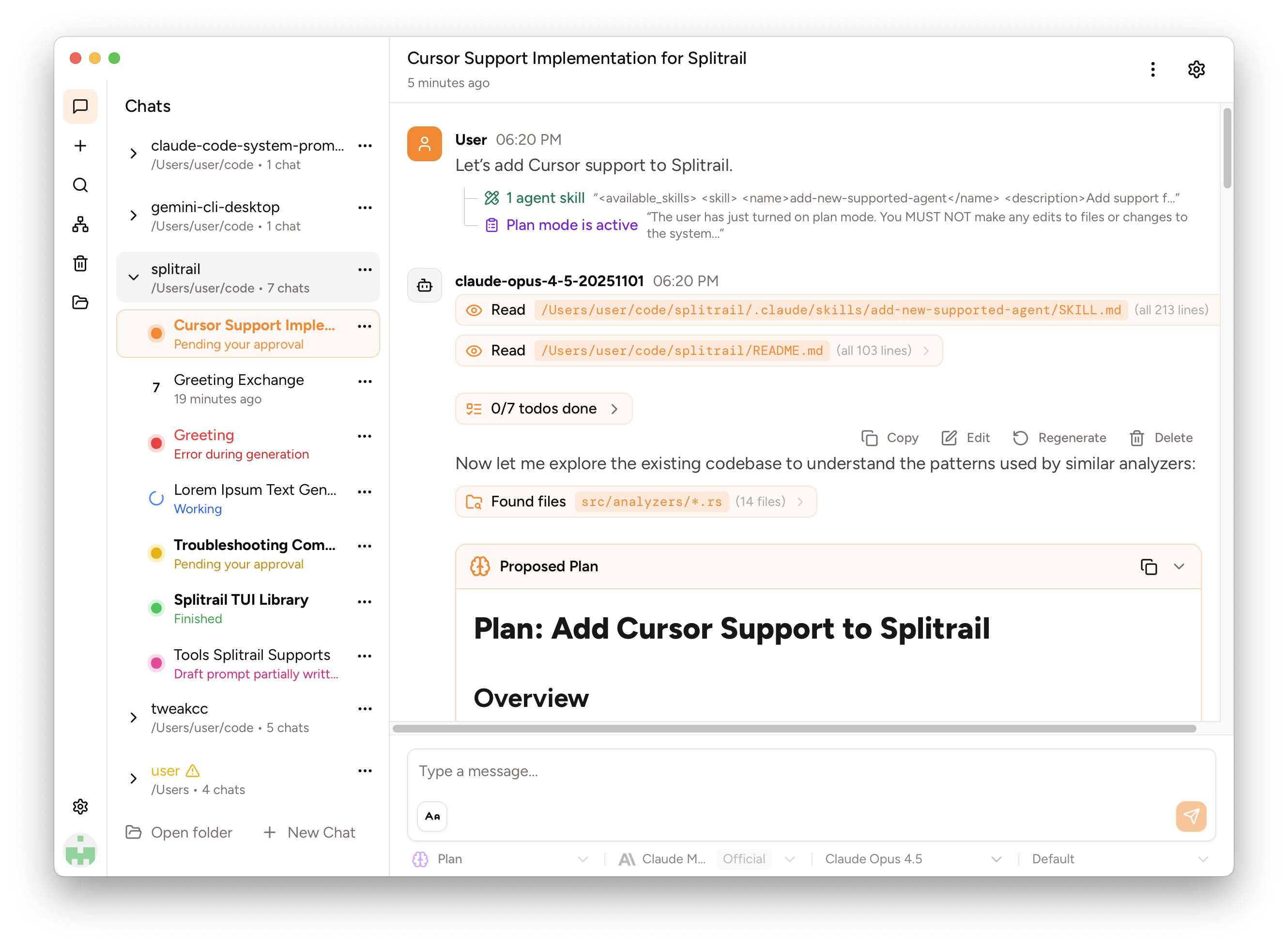
Splitrail is a fast, cross-platform, real-time token usage tracker and cost monitor for:
- Gemini CLI (and Qwen Code)
- Claude Code
- Codex CLI
- Cline / Roo Code / Zoo Code / Kilo Code (VS Code extension + CLI)
- GitHub Copilot (VS Code)
- GitHub Copilot CLI
- OpenCode
- Pi Agent
- Grok
- DeepSeek Harness
Run one command to instantly review all of your CLI coding agent usage. Upload your usage data to your private account on the Splitrail Cloud for safe-keeping and cross-machine usage aggregation. From the team behind  Piebald.
Note
⭐ If you find Splitrail useful, please consider starring the repository to show your support! ⭐
Download the binary for your platform on the Releases page.
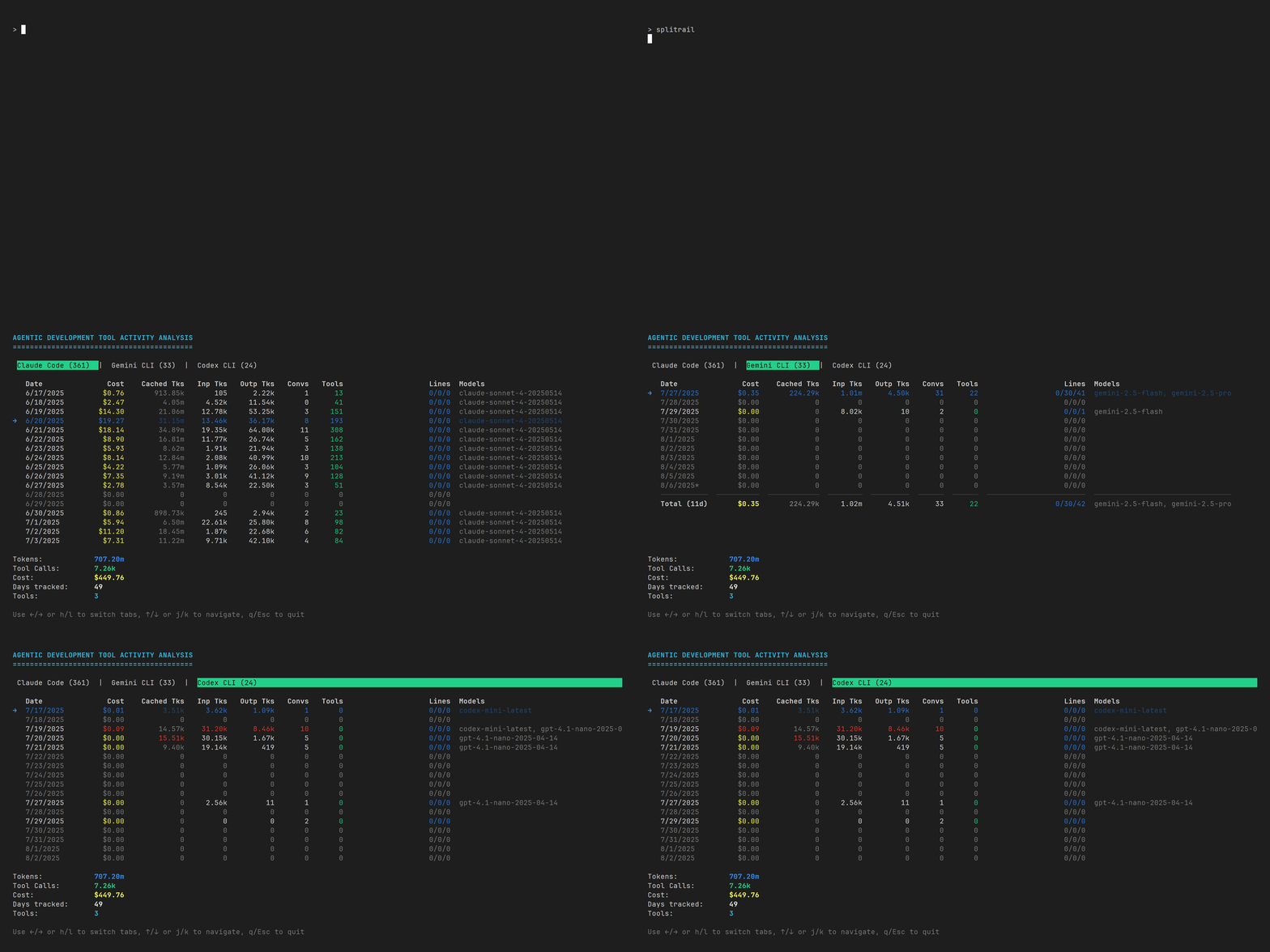
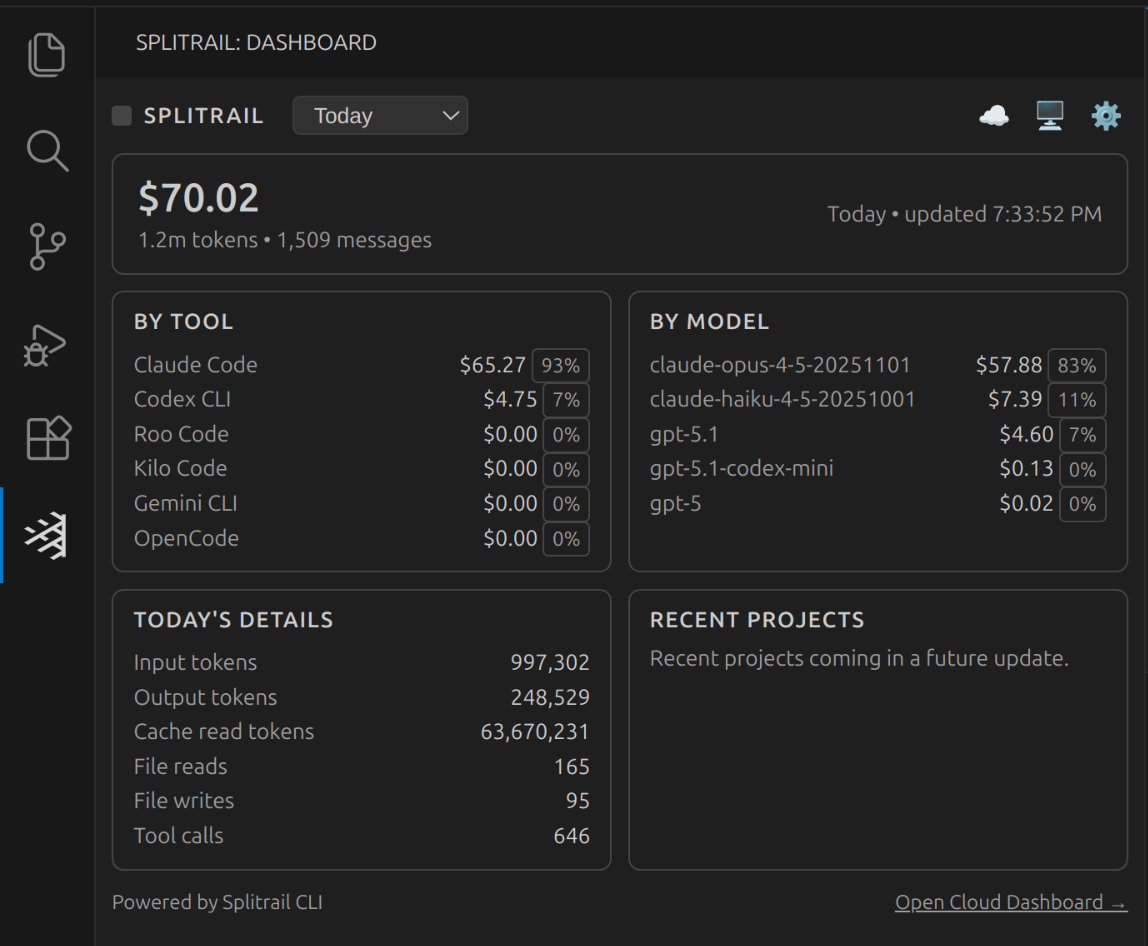
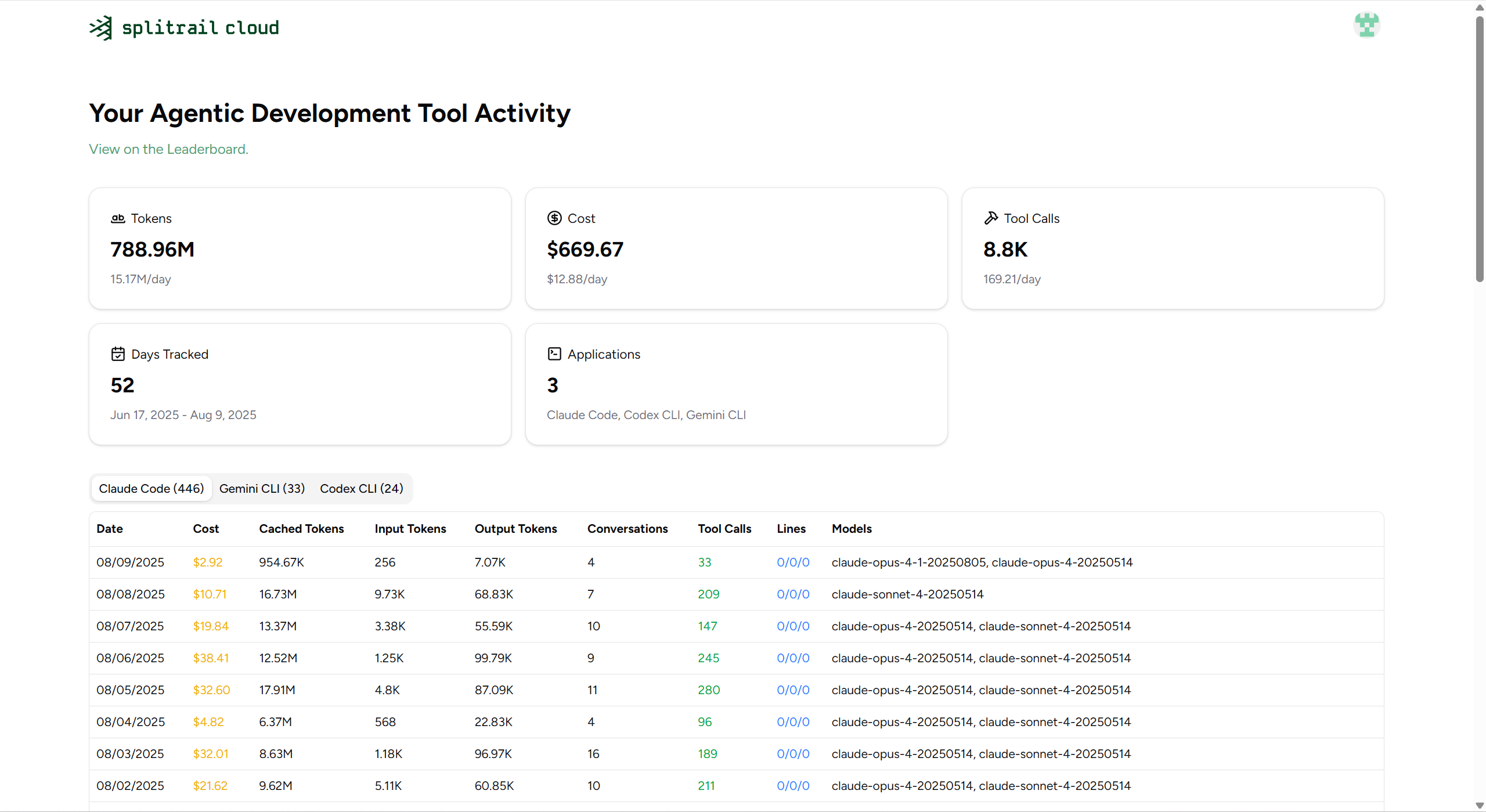
Run splitrail web and open http://127.0.0.1:8765. Use splitrail web --port 9000 to choose another port. The server listens only on 127.0.0.1 and accepts that IP in the Host header. It reads local usage through the existing analyzers without uploading it. Static assets are embedded in the binary; no frontend build or Node installation is needed to run it.
The overview shows estimated cost, total tokens, replies (model responses), session count, and cache share, with comparisons against the previous period. Filter by today, the last 24 hours, 7, 30, or 90 days, or all history, and select tools, models, or projects. The last 24 hours ends at the snapshot's scan time, uses exact message timestamps, compares against the preceding 24 hours, and shows an hourly trend. Click Refresh to advance the window. Selections within one field combine; selections across fields narrow the result. Linked worktrees, repository subdirectories, and paths connected by an analyzer's project hash are grouped into one project. Hover a project to see its merged paths.
Choose Custom to select a start and end time to the minute, then Apply. The start is included and the end excluded; equal, reversed, invalid, and future times are rejected. Minute usage buckets retain the exact token, cost, reply, and tool-operation totals for the selected boundaries. Comparisons use the preceding period with the same duration. The range applies to every view and CSV export, and is restored from bookmarked URLs. Older date-only bookmarks retain their inclusive end date, with today's end limited to the current time.
Switch between cost, tokens, and replies, and group the stacked trend by model, tool, or project. The chart supports hourly, daily, weekly, and monthly intervals; click a daily bar to inspect that day by hour. Focus the chart and use the arrow keys to read values, or Enter to drill into a day. Model, tool, and project rankings also filter on click. The five entities with the highest cost in the selected period keep their colors while filters change; the rest are grouped as Other.
Usage snapshots are saved in the system cache directory under splitrail/web-usage-v1.json. On restart, the page immediately shows the saved snapshot while a background scan refreshes it, then updates automatically. The first run without a valid cache waits for a scan. Click Refresh to scan again. Concurrent refreshes share one scan, cached pages remain available during scanning, and a failed refresh preserves the previous snapshot. Cache files with a different application version or timezone are ignored. Dates and hours use the machine's local time. Total tokens match the TUI: input + output + cached; reasoning tokens are not added again. Costs use public API prices and may differ from subscription spending.
Frontend aggregation tests run with node --test src/web/data.test.mjs.
Model aliases configured in ~/.splitrail.toml also determine dashboard names and grouping, including filters, charts, rankings, and CSV exports. Session details show the original names beneath mapped names. Unmapped models keep their original names. Restart splitrail web after changing aliases; saved snapshots retain the original names and use the current aliases on load.
The Sessions tab provides search, sorting by recency/cost/tokens/replies/active time, and a paginated list. A compact summary shows total active time, replies, cost and tokens per reply, cache share, and project count. Above the list, the session shape card buckets the filtered sessions by reply count, active time, or tool calls, with the median and p90 beside it; the work activity card shows recorded tool calls, file reads, file operations, and shell commands. Active time counts gaps under five minutes between messages, so long idle periods do not inflate session duration. Select a session to see its whole-session totals, reply and tool-call counts, file reads and edits, token mix, per-model replies, tokens, cache share and cost, and its hourly or daily timeline. Shared filters select sessions; the detail panel shows the entire selected session. File and command counts are tool-operation counts, not unique file counts, and are available only where the source analyzer records them.
The Breakdown tab groups the filtered usage by period, project, model, or tool, and includes tool calls, file reads, file operations, and shell commands. Export CSV downloads the same groups, columns, ordering, and total row with exact numeric values. Shares are fractions between 0 and 1; text labels are escaped for spreadsheet use. View and filter selections are kept in the URL hash for bookmarks.
English is the default language; choose Simplified or Traditional Chinese in the header. The preference is saved locally. The dashboard follows the system's light/dark appearance and adapts to phone widths, with horizontally scrollable charts and tables. Overview also includes a weekday/hour activity heatmap and the largest sessions.
Claude Code can emit OpenTelemetry telemetry itself. The other agents Splitrail reads cannot, so splitrail otel exports any agent's usage to an OTLP/HTTP collector as gen_ai.* traces and metrics:
# one-shot backfill of everything on disk
splitrail otel export --endpoint http://localhost:4318

# follow transcripts and export as agents work
splitrail otel serve

# inspect the payload instead of sending it
splitrail otel export --dry-run --pretty --days 7
Opt-in means opt-in: without an [otel] section and without the subcommand, nothing is read, written, or sent. Some agents instrument themselves (Claude Code, OpenCode), so add whichever you want to skip with exclude_analyzers:
[otel]
enabled = false                    # start the exporter with the TUI (follow only, no backfill)
endpoint = "http://localhost:4318" # /v1/traces and /v1/metrics are appended
service_name = "splitrail"
include_tool_spans = false         # execute_tool spans, see below
exclude_analyzers = ["Claude Code"]
backfill_days = 0 # 0 = all historyOTEL_EXPORTER_OTLP_ENDPOINT, OTEL_EXPORTER_OTLP_HEADERS, OTEL_SERVICE_NAME, and the per-signal endpoint variables are also honored, with the command line taking precedence. Per-signal endpoint URLs are used unchanged, including custom paths and query strings. splitrail config show displays the resolved traces endpoint when export is enabled. Omitted [otel] settings use their defaults. Only http_json and http/json protocols are supported; protobuf and gRPC settings are rejected.
Each turn becomes one trace:
invoke_agent Codex CLI            gen_ai.conversation.id
├── chat gpt-5.6-codex            gen_ai.usage.{input,output,cache_read,cache_write}.input_tokens, splitrail.cost.usd
├── execute_tool shell            gen_ai.tool.name, gen_ai.tool.call.id
└── chat gpt-5.6-codex
Trace ids stay anchored to the turn's human prompt as new replies arrive; tool results do not start new turns. Request and tool spans have stable ids, including calls without an agent-provided id. Exported messages, tools, and metrics are tracked separately in the system state directory (splitrail/otel-state.json), so enabling metrics or tool spans later backfills those outputs without replaying previously sent request spans. If you point Splitrail at a different collector, it warns that you must delete the state file to resend existing history.
The follower retries files after discovery, parsing, or export failures. Export state advances only after the batch's POSTs succeed. --no-backfill exports only messages and tool calls timestamped at or after follower startup, while retaining older messages as turn context. Ctrl-C and TUI exit flush pending activity without waiting for the settle window; shutdown failures are reported.
Token usage is measured; durations are not. Transcripts record when a message was written, not how long the request took, so chat spans end at the next event in the session, clamped to two minutes, and say splitrail.timing = "derived". Tool spans use "recorded" when the transcript has a result timestamp. No latency metric is emitted, because a histogram of inferred durations is worse than no histogram. Token usage (gen_ai.client.token.usage) is a delta histogram and cost (splitrail.cost.usd) is a delta sum. Both use non-overlapping export-time intervals, including when backfilling older history; the spans retain the original transcript timestamps. Billed messages without a model still contribute metrics under unknown. Records with pre-1970 timestamps or dates outside the exporter's signed 64-bit nanosecond range are skipped, as are spans whose end falls outside that range.
execute_tool spans need per-call records, which the Claude Code, Codex CLI, and Gemini CLI analyzers provide; other agents export turn and request spans only. Analyzers opt in through a default-empty parse_tool_calls hook, so adding one later does not disturb existing ones.
Prompts, completions, tool arguments, and tool results are never exported. Session names are omitted because some analyzers derive them from prompts. execute_tool spans carry a name, an id, and timing only.
Splitrail can run as an MCP (Model Context Protocol) server, allowing AI assistants to query your usage statistics programmatically.
splitrail mcpget_daily_stats- Query usage statistics with date filteringget_model_usage- Analyze model usage distributionget_cost_breakdown- Get cost breakdown over a date rangeget_file_operations- Get file operation statisticscompare_tools- Compare usage across different AI coding toolslist_analyzers- List available analyzers
splitrail://summary- Daily summaries across all datessplitrail://models- Model usage breakdown
Splitrail stores its configuration at ~/.splitrail.toml:
[server]
url = "https://splitrail.dev"
api_token = "your-api-token"

[upload]
auto_upload = false
upload_today_only = false

[formatting]
number_comma = false
number_human = false
locale = "en"
decimal_places = 2

[logging]
level = "warn"Splitrail reads Piebald's database live, so permanently deleting a chat in Piebald also removes its usage from Splitrail, including from any upload that hasn't happened yet. To keep counting a chat after you delete it, save a usage archive of it first. The archive is a single file beside Piebald's database, named after it:
- Linux:
~/.local/share/piebald/app.db.usage-archive(or$XDG_DATA_HOME/piebald/app.db.usage-archive) - macOS:
~/Library/Application Support/piebald/app.db.usage-archive - Windows:
%APPDATA%\piebald\app.db.usage-archive
Because it sits beside app.db, whatever copies, backs up, or moves Piebald's database and its -wal and -shm files can take the archive along too.
An archive is a SQLite file in Piebald's database layout. Splitrail reads it with the same code it uses for Piebald's own database and merges the two:
- Each message counts once, even while its chat still exists in Piebald.
- Archived messages keep the date, model, project, price, and identity they had while their chat existed, so they upload to Splitrail Cloud exactly as they would have before the deletion.
- An archive belongs to the database it sits beside. A copy of the database somewhere else uses the archive beside that copy, if there is one.
- An archive that can't be read is skipped with a warning; it never hides your live usage.
A complete copy of Piebald's database works as an archive, but it doesn't need to be one. Splitrail only needs each chat, its messages and their token counts, its tool-call markers, and the profile and project rows they refer to; message text and tool output can be left out. To add chats to an existing archive, write the combined file under another name (such as app.db.usage-archive.partial) and rename it into place when it's complete, because Splitrail reads the archive each time it refreshes.
On Windows, we use lld-link.exe from LLVM to significantly speed up compilation, so you'll need to install it to compile Splitrail. Example for winget:
winget install --id LLVM.LLVMThen add it to your system PATH:
:: Command prompt
setx /M PATH "%PATH%;C:\Program Files\LLVM\bin\"
set "PATH=%PATH%;C:\Program Files\LLVM\bin"
or
# PowerShell
setx /M PATH "$env:PATH;C:\Program Files\LLVM\bin\"
$env:PATH = "$env:PATH;C:\Program Files\LLVM\bin\"
Then use standard Cargo commands to build and run:
cargo runBuild as normal:
cargo run
Copyright © 2026 Piebald LLC.