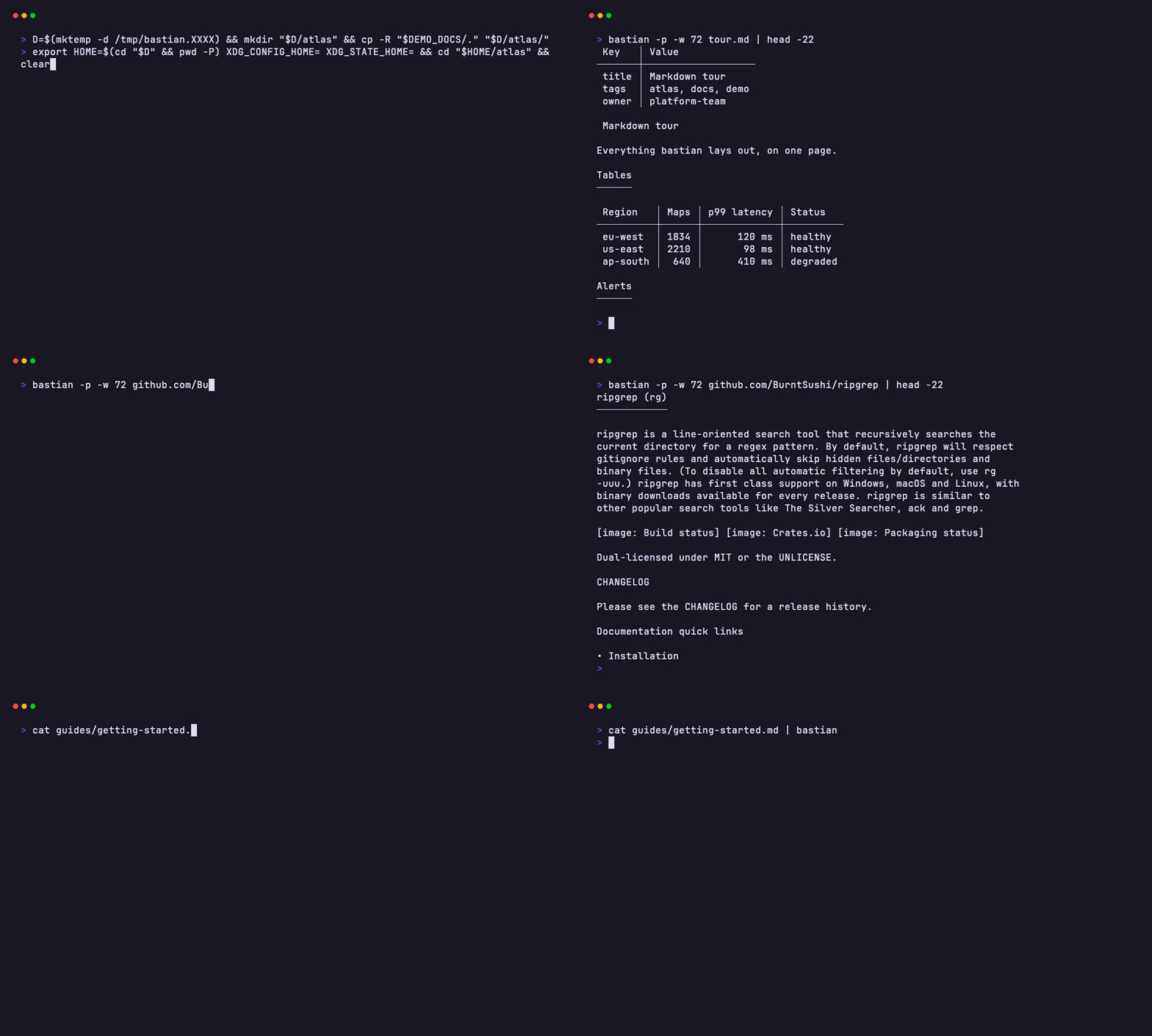
Besides the TUI, bastian reads single documents from anywhere and can print them instead of opening the reader, for pipes, pagers and scripts.
← README
bastian                           # browse the current directory
cat notes.md | bastian            # with no path, piped input is read
bastian docs/                     # browse another directory
bastian README.md                 # read a file
bastian src/main.rs               # source files are highlighted, with line numbers
gh pr view 12 --json body -q .body | bastian -    # read stdin
bastian https://example.com/doc.md                 # any Markdown URL
bastian github.com/owner/repo                      # a repository's README
bastian gitlab.com/group/project                   # GitLab too
bastian https://github.com/o/r/blob/main/docs/guide.md   # file pages are read raw
With no path, bastian reads stdin when something is piped or redirected
into it (cat notes.md | bastian, bastian < notes.md), just like
bastian -, and browses the current directory otherwise. Stdin from
/dev/null, which cron and CI runners give, counts as no input and browses;
bastian - there reads it and shows an empty document. Where stdin is a
pipe nobody writes to, such as some IDE run panes, name the directory:
bastian ..
See the reader for how links in remote documents are followed.
bastian -p README.md                       # print instead of opening the TUI
bastian -p -w 80 README.md                 # at most 80 columns wide
bastian --pager README.md                  # page it through $PAGER (default less -R)
bastian --color always README.md | less -R # keep the colors in a pipe
bastian -p README.md > plain.txt           # no colors when not a terminal
Printed output is colored when it goes to a terminal. NO_COLOR turns that
off, CLICOLOR_FORCE=1 turns it on for pipes, and --color (or the color
setting) overrides both. Without -w, the width is the terminal's (up to 120
columns), or 80 when there's no terminal. Set pager = true to always page
instead of opening the TUI.
| Option | Effect |
|---|---|
-w, --width <N> |
maximum document width (default 100) |
-t, --theme <NAME> |
auto, dark, light or a theme name (themes) |
--background <WHICH> |
theme or terminal background (themes) |
-p, --print |
print the rendered document |
--pager |
show it in $PAGER |
--color <WHEN> |
auto, always or never, for printed output |
-n, --line-numbers |
show line numbers in the reader |
-a, --all |
also list hidden and gitignored files |
-y, --yes |
run code blocks without asking (code blocks) |
--no-mouse |
leave the mouse to the terminal (reader) |
--mouse |
capture the mouse (the default), over mouse = false |
--images <on|off> |
draw pictures, or keep alt text |
--front-matter <HOW> |
table or hide (front matter) |
--no-logo |
hide the logo above the file list |
--selector <STYLE> |
how the file list marks the selected file |
--list-layout <LAYOUT> |
cards or compact file list |
--sort <ORDER> |
file list order: modified, created or name |
--config <PATH> |
use another config file (configuration) |
--print-config |
print the effective settings and where each came from |
-h, --help |
help |
-V, --version |
version |
bastian themes                    # pick a theme with a live preview and save it
bastian config                    # open the config file in your editor
bastian completions zsh > ~/.zfunc/_bastian   # also bash, fish, elvish, powershell
bastian themes prints the theme list instead when its output isn't a
terminal. To read a file literally named config or themes, write
./config.