


This is a maintained continuation of schmaldeo/DS4Windows, which was discontinued after version 3.9.9 (see the original repository for the author's note). Version 4.0.0 moves the app to .NET 10, modernizes the interface and fixes many stability issues in controller connection and detection. See the changelog for details.
The app checks this repository for new versions and offers to open the release page when one is available.
Like those other DS4 tools, but sexier.
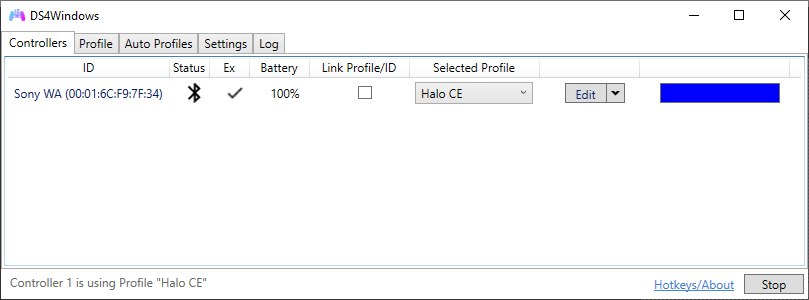
DS4Windows is an extract anywhere program that allows you to get the best DualShock 4 experience on your PC. By emulating an Xbox 360 controller, many more games are accessible. Other input controllers are also supported including the DualSense, Switch Pro, and JoyCon controllers (first party hardware only).
This project is a fork of the work of Jays2Kings and Ryochan7. It adds various new features like switch debouncing, a tool that helps to fix stick drift and pitch and roll simulation for DS3 based on accelerometer value (which is a work of sunnyqeen).
DS4Windows is licensed under the terms of the GNU General Public License version 3. You can find a copy of the terms and conditions of that license at https://www.gnu.org/licenses/gpl-3.0.txt. The license is also available in this source code from the COPYING file.
Download DS4Windows_<version>_x64_Setup.exe from the releases and run it.
It installs for the current user without admin rights by default, adds a Start menu shortcut and an uninstaller,
and installing a newer version over it keeps your profiles.
Alternatively, download the portable DS4Windows_<version>_x64.zip and extract it to your preferred place.
SHA256SUMS.txt in each release lets you check the downloaded files.
Alternatively, you can download ds4w.bat file and execute it. It will open a window that downloads and places the program in %LOCALAPPDATA%\DS4Windows and creates a desktop shortcut to the executable.
- Windows 10 or newer (Thanks Microsoft)
- Microsoft .NET 10.0 Desktop Runtime (x64). Download
- Visual C++ 2015-2022 Redistributable. x64 or x86
- ViGEmBus driver (DS4Windows will install it for you)
- Sony DualShock 4 or other supported controller
- Connection method:
- Micro USB cable
- Sony Wireless Adapter
- Bluetooth 4.0 (via an adapter like this or built in pc). Only use of Microsoft BT stack is supported. CSR BT stack is confirmed to not work with the DS4 even though some CSR adapters work fine using Microsoft BT stack. Toshiba's adapters currently do not work. Disabling 'Enable output data' in the controller profile settings might help with latency issues, but will disable lightbar and rumble support.
- Disable PlayStation Configuration Support and Xbox Configuration Support options in Steam