Skip to content

About

VS Code extension to batch-rename files

Resources

Stars

73 stars

Watchers

1 watching

Forks

Latest commit


History

5 Commits

Folders and files

Repository files navigation

Batch Rename

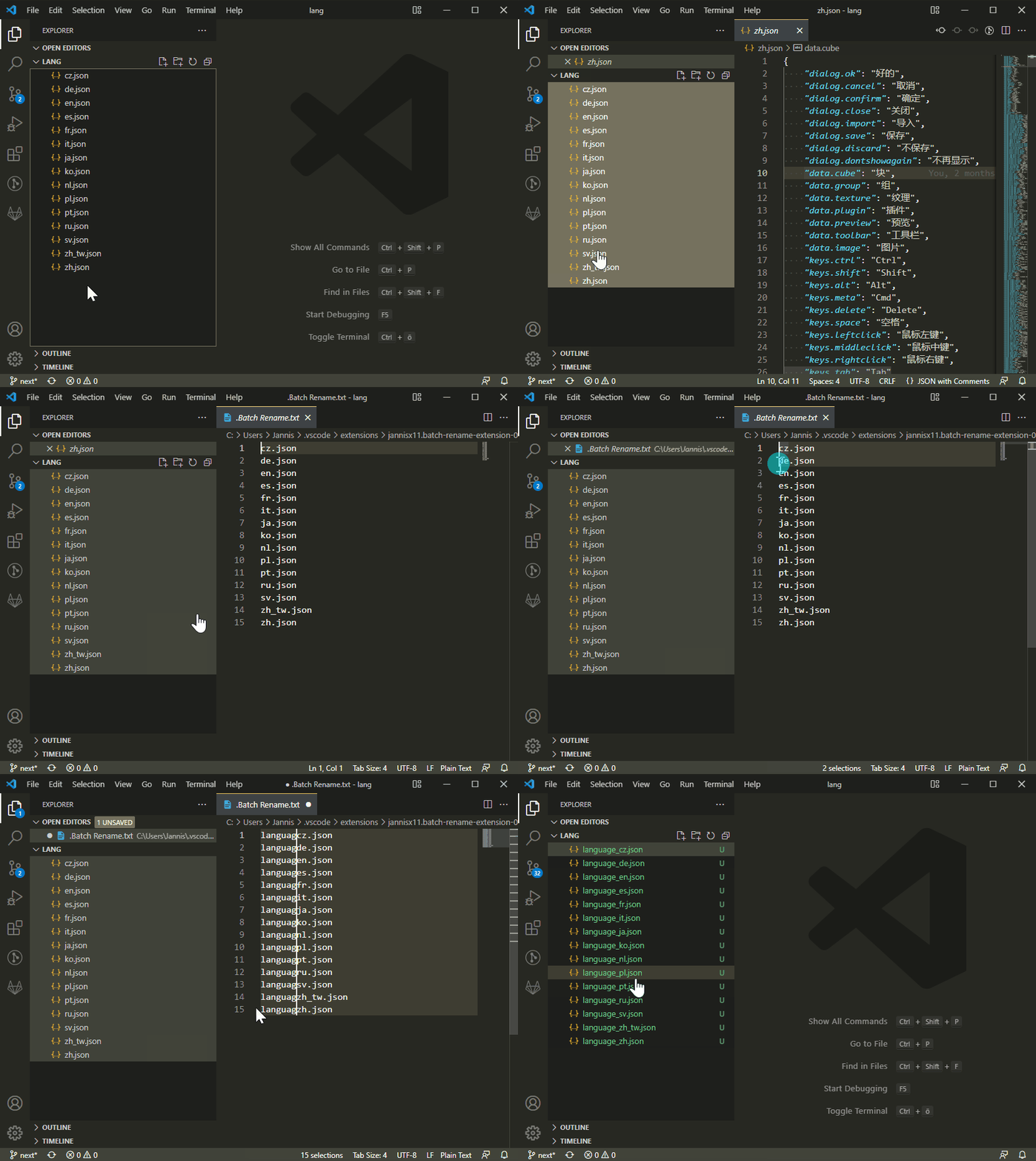
Rename multiple files at once inside the editor window. That way you can use find/replace and multi-cursor.

How To Use:

  • Select files in the explorer sidebar
  • Right click one of the files and click "Batch Rename"
  • Edit the file names in the editor
  • Hit Save to confirm

Demo GIF

About

VS Code extension to batch-rename files

Resources

Stars

73 stars

Watchers

1 watching

Forks

Used by

Contributors

Languages