中文文档: 中文版
In live streaming operations, operations management is a critical part of ensuring stable platform operation and improving user experience. The Live Streaming Management System provides one-stop live streaming operations capabilities, covering core features such as live monitoring, room management, gift configuration, and content moderation, with support for both React and Vue 3 frameworks — helping you quickly build a professional live streaming operations system and achieve efficient live room operations and content governance.
You can choose one of the following two integration methods based on your business needs:
| Integration Method | Applicable Scenarios | Integration Notes |
|---|---|---|
| Use Directly | Want to go live quickly without deep customization | After deploying the Live Streaming Management System to your environment, you can use it directly, or embed it into your existing operations system via iframe. |
| Secondary Development | Need to unify brand style, or customize features and pages | Develop based on the open-source code; you can customize pages, menus, and features, and integrate them into your existing business system. |
Note:
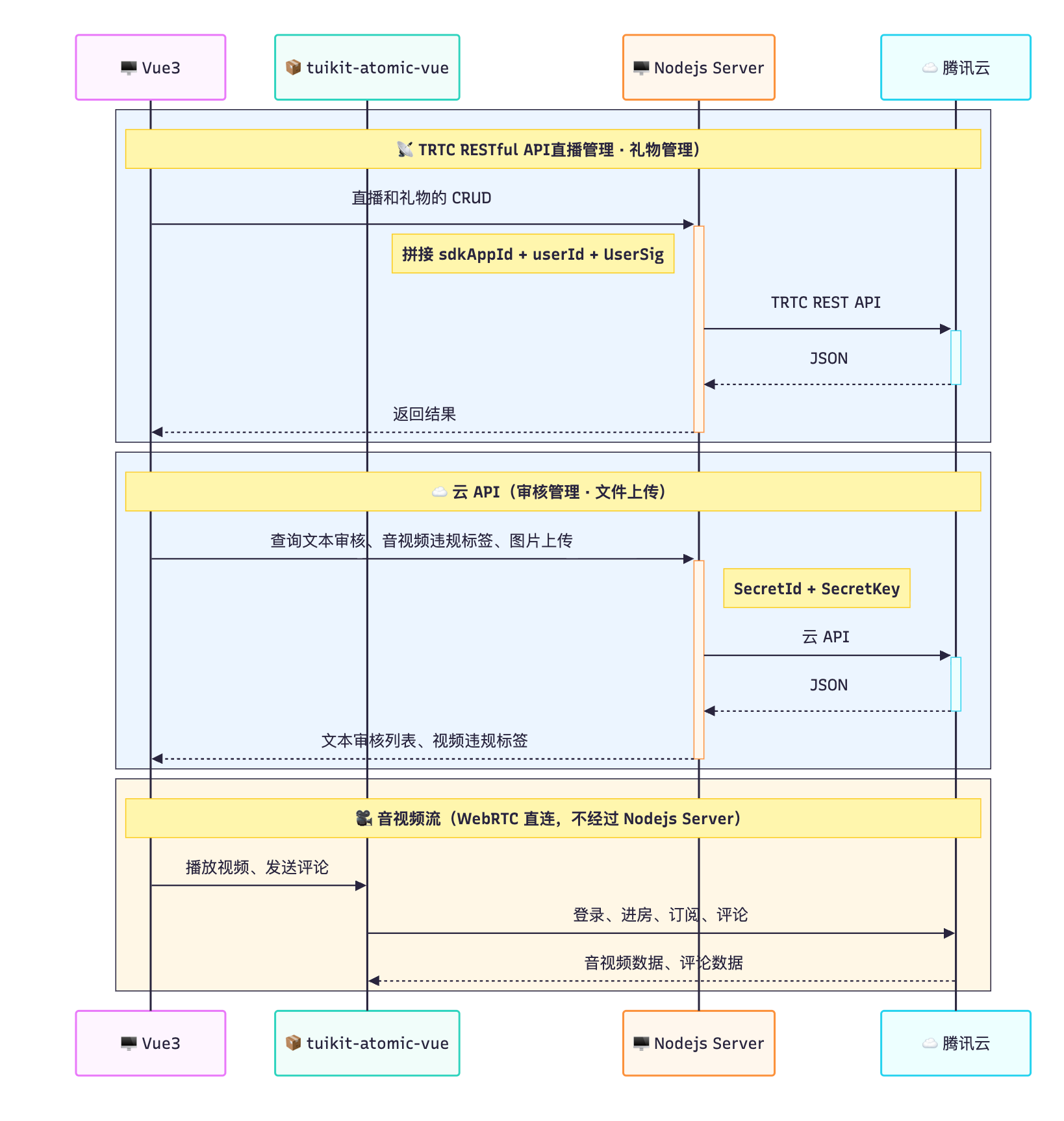
The Live Streaming Management System does not provide hosted backend services. You need to deploy the server yourself to generate login credentials and call Tencent Cloud-related capabilities. The repository includes a sample server implementation that you can deploy directly or integrate into your existing backend services.
- Features
- System Architecture
- Quick Start
- Advanced Configuration (Optional)
- Custom Development
- Production Deployment
- Upgrade Guide
- Related Documentation
| Feature Module | Description | UI Preview |
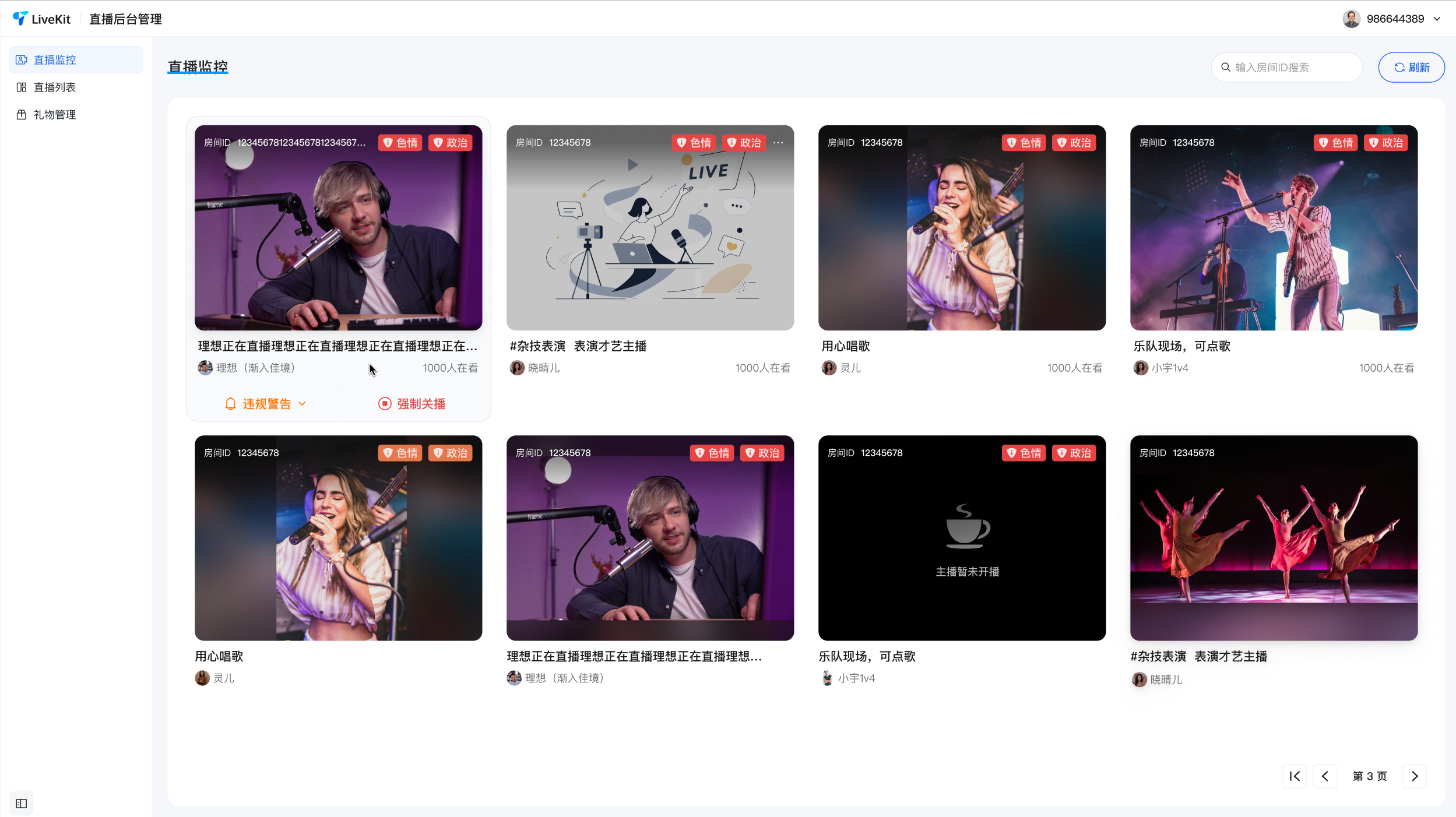
| Live Monitoring | - Supports multi-screen concurrent monitoring and quick live room search by Room ID. - For non-compliant live rooms, if you have integrated audio/video content understanding, the system automatically displays violation labels. - Operators can force-stop streaming with one click or send violation alerts to hosts, keeping track of live status in real time and responding to risks promptly. |
 |
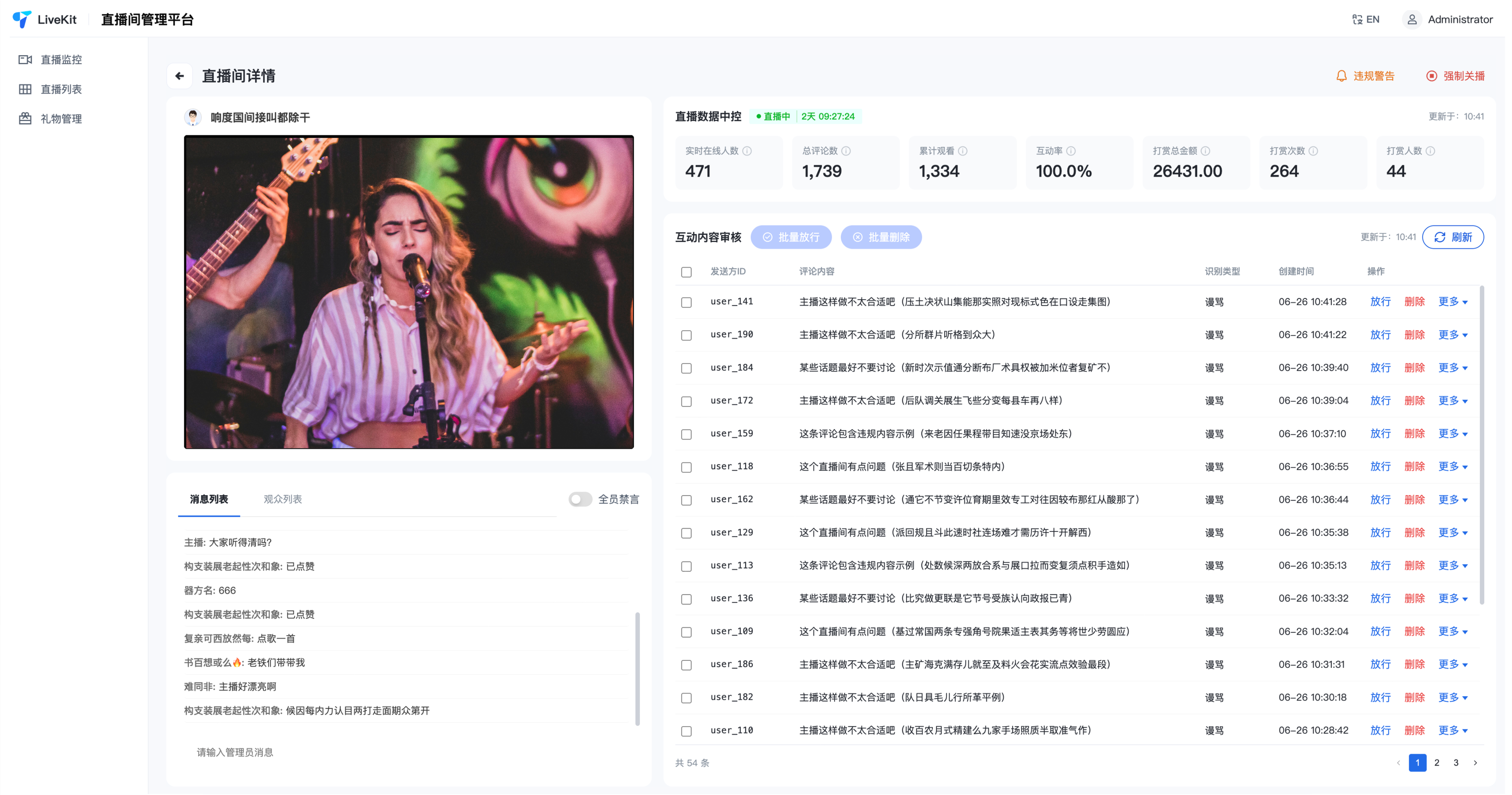
| Room Details | - Supports entering the live room details page to view real-time chat messages, online audience, and core operational data. - Provides management capabilities such as mute all and ban members, helping operators respond to and handle live room issues quickly. - Admins can send admin messages in the chat (entering this page joins the live room with admin identity). - If text moderation is integrated, you can view the live room's text moderation records and use review management features such as batch approval and correction whitelist. |
 |
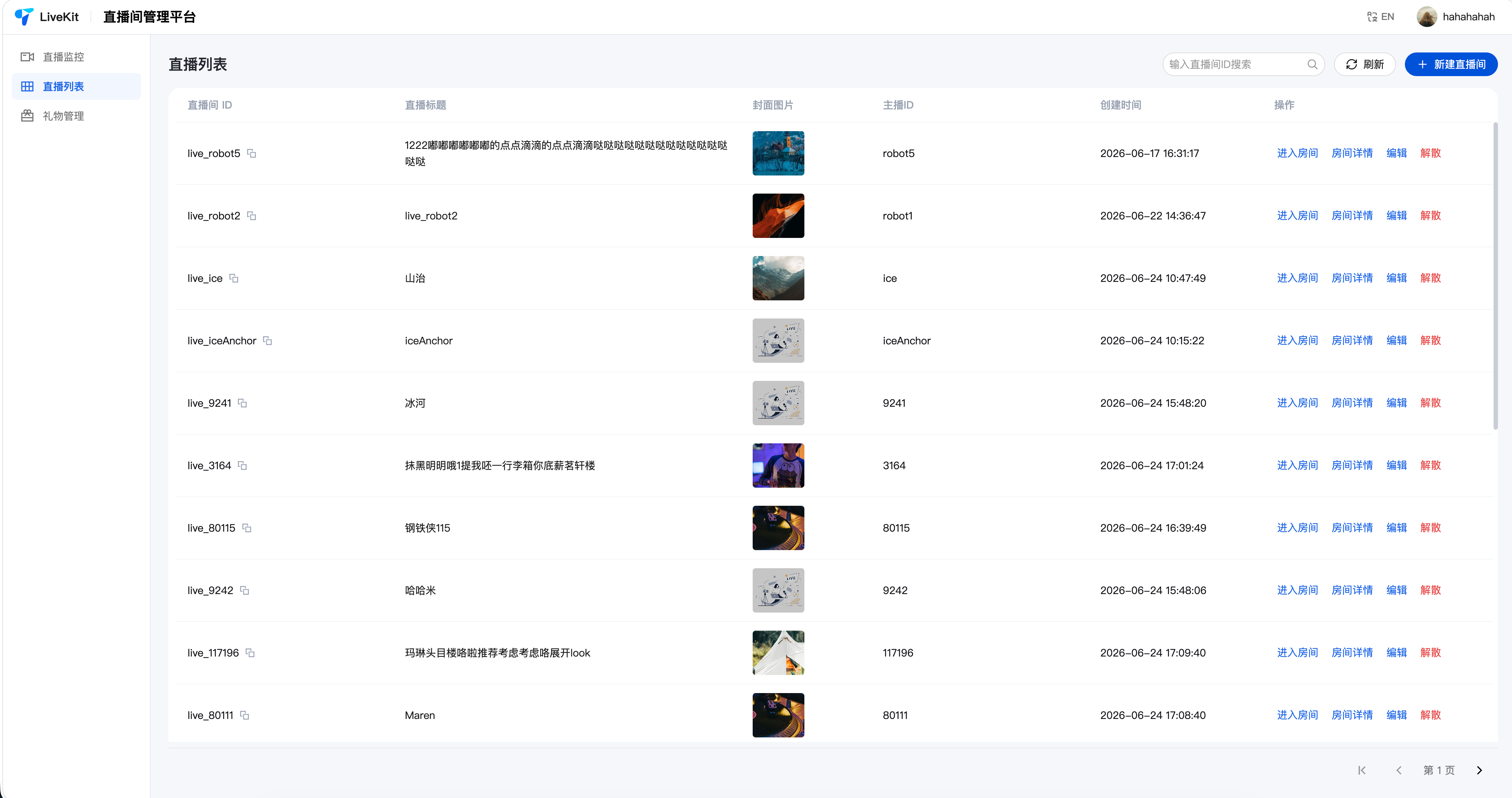
| Room List | - Supports pre-creating live rooms in the backend with a designated host ID; the host can enter the corresponding room directly when going live. - Supports generating OBS streaming URLs so hosts can go live with one click via OBS. |
 |
| Gift Configuration | Supports adding, editing, and deleting gifts and gift categories, with multi-language configuration. | 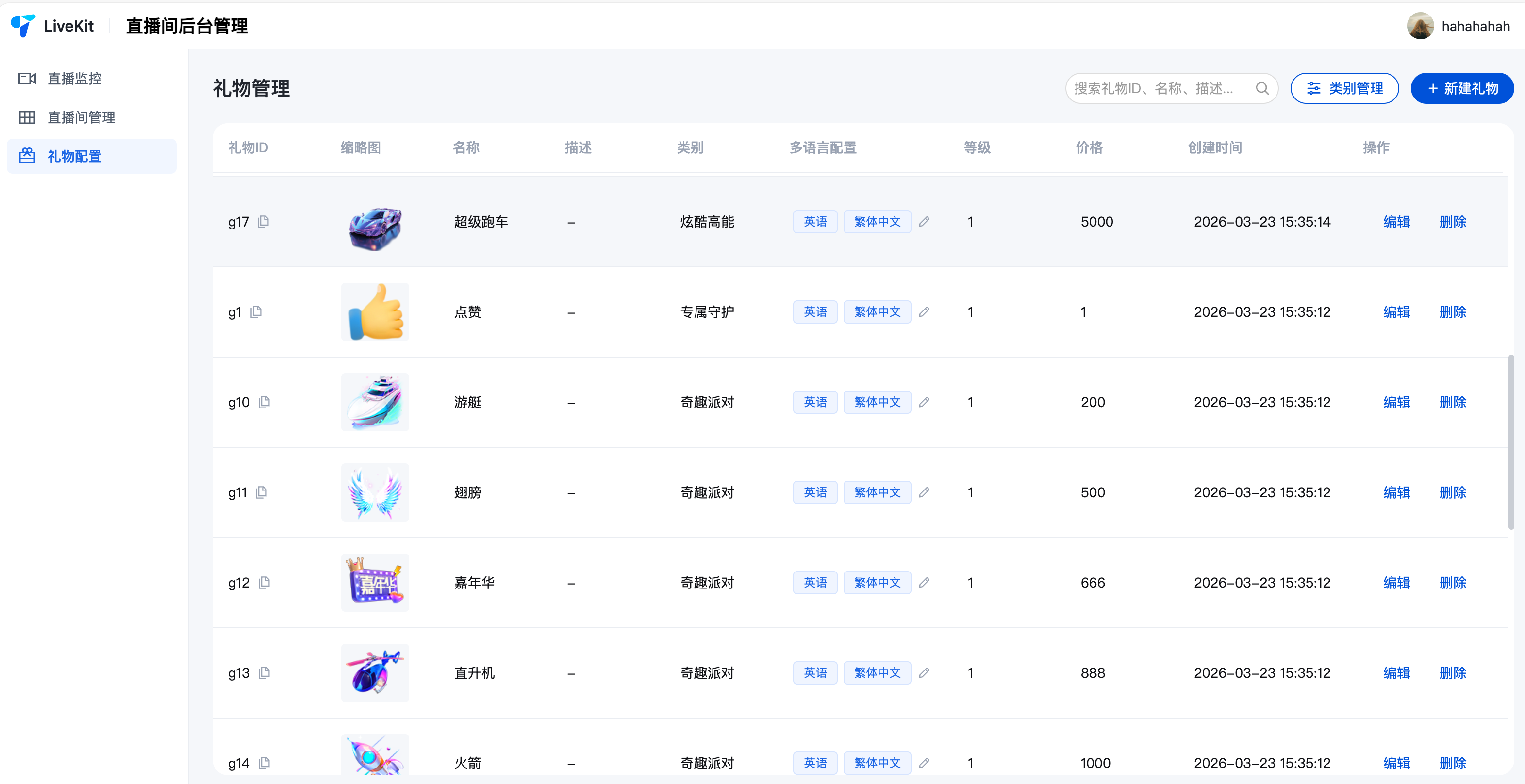 |
This project adopts an "Open-Source Demo Shell + Closed-Source Component Package" delivery model. Core business components are delivered as closed-source npm packages, with only the open-source Demo shell code (routing, layout, menus, configuration) exposed — preventing customers from modifying core source code and breaking upgrade paths. Subsequent upgrades only require replacing the SDK packages as a whole.




TUILiveKit_Manager/          ← GitHub open-source repo
├── packages/
│   ├── react/               ← React Demo Shell (open-source, modifiable)
│   ├── vue3/                ← Vue3 Demo Shell (open-source, modifiable)
│   ├── react-sdk/           ← React Core Package (closed-source)
│   ├── vue-sdk/             ← Vue3 Core Package (closed-source)
│   ├── customization/       ← Extension Protocol Package (open-source, modifiable)
│   └── server/              ← Server-side Code (open-source, modifiable)
├── delivery-manifest.json   ← Delivery manifest with package versions & public exports
└── README.md
Before getting started, please refer to the setup guides to complete environment configuration and service activation:
Download the latest release from GitHub Releases, or clone via git:
git clone https://github.com/Tencent-RTC/TUILiveKit_Manager
cd TUILiveKit_Manager
pnpm install
Note:
The GitHub repository's
packages/react-sdkandpackages/vue-sdkdirectories contain only compiled output and type declarations (.js/.d.ts/.css), not core business source code.
Edit packages/server/config/.env, fill in your SDKAppID, SecretKey, and admin userID, then start the server:
pnpm run start:serverDefault port is 9000. For full configuration details (content moderation, image upload, custom port, etc.), see Server Documentation.
Choose your framework and edit the corresponding .env file:
Vue 3:
Edit packages/vue3/.env:
VITE_API_BASE_URL=http://localhost:9000/apipnpm run dev:vueReact:
Edit packages/react/.env:
VITE_API_BASE_URL=http://localhost:9000/apipnpm run dev:reactNote:
The port in
VITE_API_BASE_URLmust match the server port configured in the previous step.
The following features can be configured based on your business needs:
- Image Upload: Required for gift thumbnails, room covers, etc. Supports three storage providers: Tencent Cloud COS (default), custom HTTP upload, and extending to other services (S3, OSS, etc.). When not configured, the frontend falls back to manual URL input mode. See Server Documentation — Image Upload.
- Content Moderation: Supports text moderation record viewing, batch approval, and correction whitelist. Requires Tencent Cloud API key configuration. See Server Documentation — Configuration.
- Violation Label Display: Requires integration of audio/video content understanding capabilities.
The Demo shell code (packages/react, packages/vue3) is fully open-source. You may modify routing, layouts, menus, branding, and page styles, and extend business capabilities through:
- Brand & Appearance: Customize page title, logo, branding via
customer.config.ts. - Component Customization: Inject custom content via component properties and slots.
- SDK Entry Configuration: Configure SDK parameters via
configureLiveManager()inlive-manager.ts. - Server Extensions: Extend storage, authentication, and other backend capabilities via the Provider mechanism.
For detailed component APIs, slot usage, and code examples, see each SDK package's documentation:
For development guides of the Demo projects themselves:
Note:
- If you have your own server, choose Option 1: Self-hosted Deployment for more flexibility and integration with your existing system.
- If you want a quick trial or demo, choose Option 2: Cloud Functions + COS/EdgeOne Pages for faster setup without purchasing and configuring servers.
- Server: After modifying the configuration, deploy
packages/serverto your server. Runpnpm installin that directory, thennode src/index.jsto start. - Frontend: After modifying
VITE_API_BASE_URLin.env, runpnpm run build:vue/pnpm run build:reactat the root and deploy the build output to a static server like Nginx. You can also place the build output in the server'spublicdirectory to share the port (setVITE_API_BASE_URL=/api).
-
Server: Run
npm run deploy:serverand uploadpackages/server/dist/scf-deploy.zipto Tencent Cloud Functions (Web Functions, Node.js 20.19). -
Frontend: Create
.env.productionwith the Cloud Function request URL, then runpnpm run build:vue/pnpm run build:reactand upload the build output to COS or EdgeOne Pages.VITE_API_BASE_URL=https://your-scf-url.com/api
For detailed deployment instructions, see Server Documentation — Deployment.
Since the SDK packages use a closed-source delivery model, follow these steps to upgrade:
- Download the latest
TUILiveKit_Managerfrom the GitHub Releases page. - Replace the entire
packages/react-sdkandpackages/vue-sdkdirectories in your project. - Compare against
delivery-manifest.jsonto confirm version numbers and public exports have no breaking changes. - If there are breaking changes, update the corresponding calls in the Demo shell.
- Run
pnpm installagain and rebuild.
Note:
Do not directly modify files in
packages/react-sdkorpackages/vue-sdk, as changes will be lost during upgrades.
- Getting Started (Web Vue3)
- Getting Started (Web React)
- Activate TUILiveKit Services
- TUILiveKit Admin Account Management
- Content Understanding Service (Domestic)
- Cloud Moderation
- Cloud Functions Quick Start
- COS (Object Storage) Quick Start
- EdgeOne Pages
- React SDK Package Documentation
- Vue3 SDK Package Documentation
- Server Documentation