English | 한국어





Turn a website, localhost app, or SaaS dashboard into a real desktop app project.
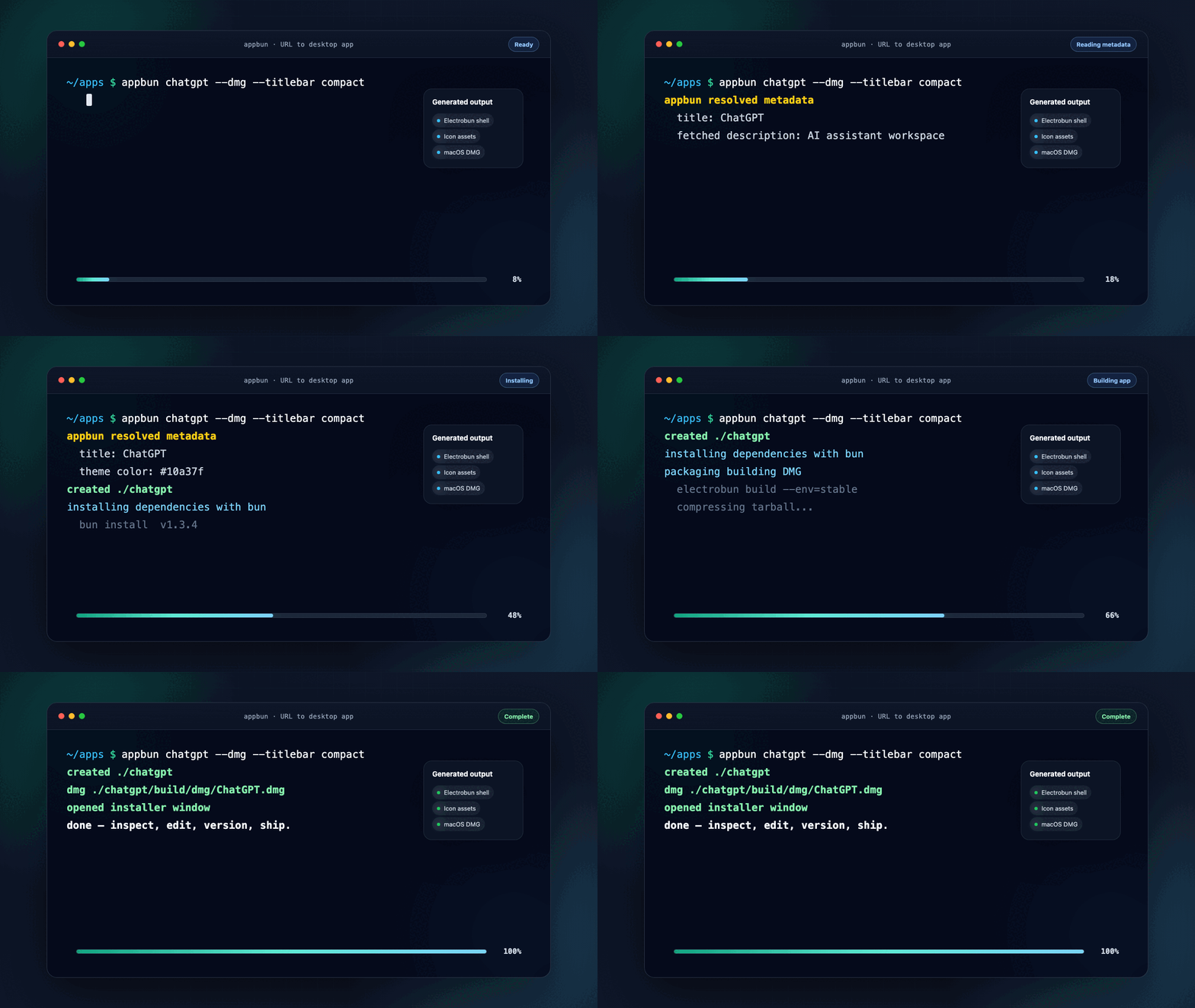
npx -y appbun@latest https://github.com --name "GitHub" --dmgappbun does not give you a mystery binary. It generates an inspectable Electrobun project with source code, icons, native-runner build scripts, macOS DMG packaging, and agent-friendly instructions.
| Need | Command | Result |
|---|---|---|
| Package a public site | appbun https://example.com --name Example |
Editable desktop wrapper project |
| Package your local frontend | appbun dev --name "My App" |
Auto-detects common localhost ports |
| Generate and package in one go | appbun https://example.com --name Example --dmg |
Project plus unsigned macOS DMG |
| Make a personal macOS installer | appbun package --dmg |
Unsigned local DMG from inside a generated project |
| Prepare signed distribution | appbun package --dmg --sign |
Requires APPLE_SIGN_IDENTITY |
| Prepare notarized distribution | appbun package --notarize |
Uses Apple notary env vars |
| Let an agent do it | appbun skill --install-claude --cwd . |
Claude Code guide in your repo |
Package a running local app:
cd your-web-app
npm run dev
npx -y appbun@latest dev --name "My App" --out-dir ../appbun-output/my-app --yes
cd ../appbun-output/my-app
npx -y appbun@latest doctor --project
npx -y appbun@latest package --install
On macOS, make a DMG:
npx -y appbun@latest package --dmgThe generated project remains normal code. Open it, edit the shell, commit it, run it in CI, or hand it to another developer.
This path is smoke-tested against appbun@latest: scaffold a public URL, inspect appbun.generated.json, install dependencies, build the Electrobun app, and create an unsigned macOS DMG.
Most URL-to-app tools optimize for the shortest demo. appbun optimizes for the next day too.
- Inspectable output: a normal Electrobun project, not a sealed wrapper.
- Useful defaults: metadata, theme color, icons, fallback icons, local shell, loading/error states.
- Personal-app friendly: one command can get you to a macOS DMG for your own machine.
- Release honest: native-runner scripts for macOS, Windows, and Linux; no fake cross-compilation promises.
- Agent-native: Codex skill, Claude Code
CLAUDE.md, and paste-ready prompts. - Recoverable:
doctorchecks both your environment and generated projects.
bun add -g appbunnpm install -g appbunOr skip installation:
npx -y appbun@latest chatgpt --dmgappbun prefers Bun when it is available. If Bun is missing, it can fall back to npm unless you force --package-manager.
appbun https://linear.app --name "Linear Desktop"
appbun chatgpt --dmg
appbun github --titlebar compact
appbun create https://calendar.google.com --name Calendar --width 1600 --height 1000appbun recipes
appbun recipes --concept music
appbun discover design
appbun discover gcalappbun doctor
appbun doctor --target macos
appbun doctor --project
appbun doctor --project ../appbun-output/my-app --jsonRun these inside a generated appbun project, or pass --cwd.
appbun package
appbun package --install
appbun package --dmg
appbun package --dmg --sign
appbun package --notarizeLocal personal DMG:
appbun package --dmgSigned DMG:
APPLE_SIGN_IDENTITY="Developer ID Application: Your Name (TEAMID)" \
appbun package --dmg --sign
Notarized DMG:
APPLE_SIGN_IDENTITY="Developer ID Application: Your Name (TEAMID)" \
APPLE_ID="you@example.com" \
APPLE_TEAM_ID="TEAMID" \
APPLE_APP_SPECIFIC_PASSWORD="xxxx-xxxx-xxxx-xxxx" \
appbun package --notarize
Unsigned DMGs are good for local personal use and internal checks. Public macOS distribution usually needs signing and notarization.
Install the Codex skill:
appbun skill --installUse it in Codex:
$appbun-web-desktop package my local web app at http://localhost:3000 as a desktop app
Install Claude Code guidance into a repo:
appbun skill --install-claude --cwd .That writes a focused CLAUDE.md so Claude naturally reaches for:
appbun devappbun doctor --projectappbun package --installappbun package --dmg
Need a one-off prompt for any agent?
appbun prompt http://localhost:3000 --name "My App"Static prompt templates live in:
my-app/
├── .github/workflows/release.yml
├── assets/
├── icon.iconset/
├── scripts/
│   ├── build-platform.mjs
│   └── create-dmg.mjs
├── src/
│   ├── bun/index.ts
│   └── mainview/
│       ├── index.html
│       ├── index.css
│       └── index.ts
├── appbun.generated.json
├── electrobun.config.ts
├── package.json
└── tsconfig.json
The generated app includes:
- source URL and generator metadata in
appbun.generated.json - site-derived or fallback icon assets
- a local webview shell with loading/error states
- macOS titlebar presets
- native-runner build scripts
- GitHub Actions release workflow
| Preset | Best for | macOS behavior |
|---|---|---|
system |
strict native chrome | default system title bar |
unified |
balanced default | hidden inset traffic lights plus local toolbar |
compact |
content-heavy apps | shorter unified toolbar |
minimal |
distraction-free wrappers | lighter metadata and border treatment |
Windows and Linux currently use the standard native title bar.
Public no-login targets captured with Playwright:
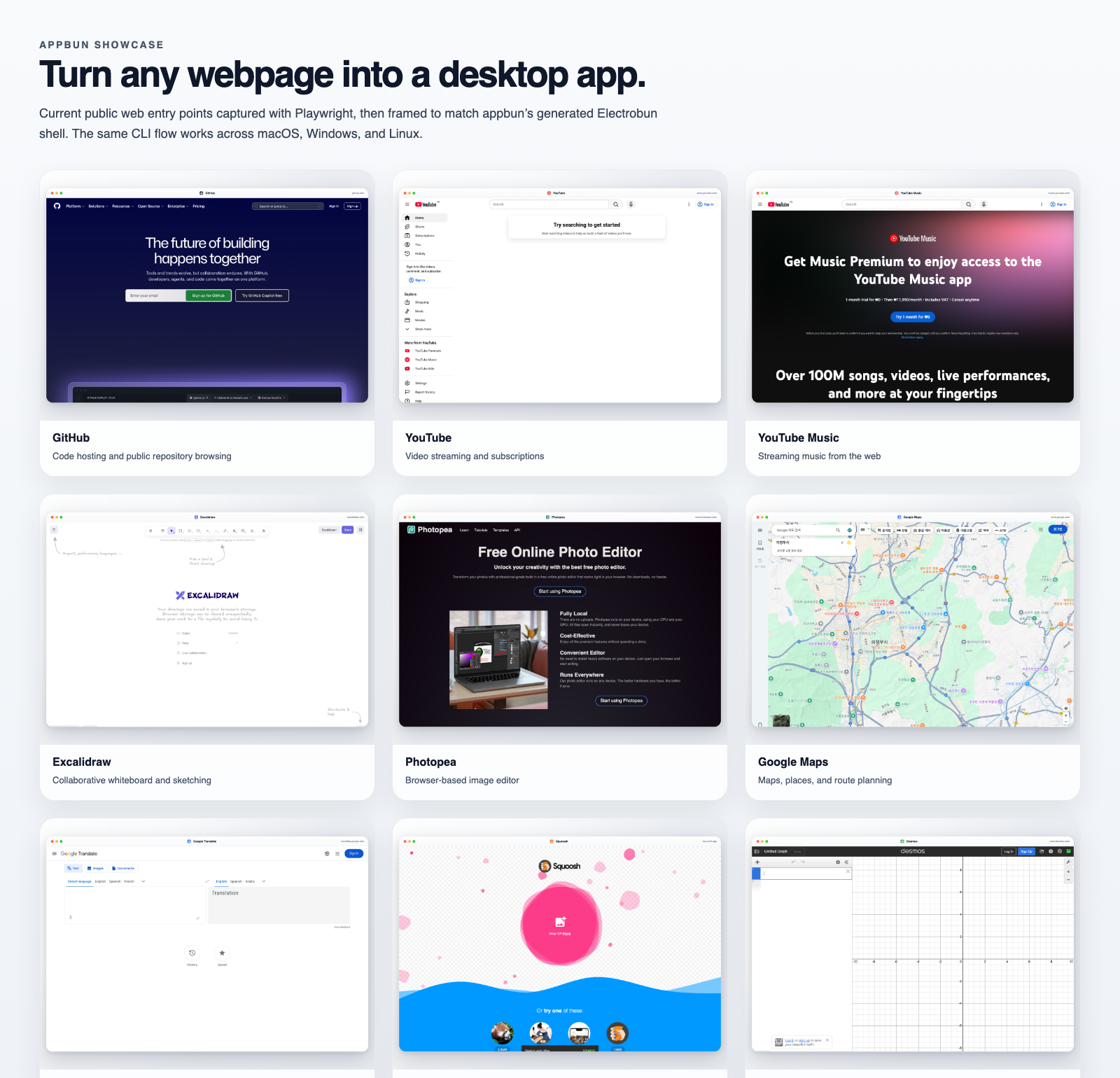
| App | Command |
|---|---|
| GitHub | appbun github --dmg |
| YouTube | appbun https://www.youtube.com --name "YouTube" --dmg |
| Excalidraw | appbun https://excalidraw.com --name "Excalidraw" --dmg |
| Photopea | appbun https://www.photopea.com --name "Photopea" --dmg |
| Squoosh | appbun https://squoosh.app --name "Squoosh" --dmg |
More examples: docs/showcase/README.md
Use npm:
appbun https://example.com --package-manager npmRun:
appbun doctor --projectSome local Electrobun macOS builds can trigger a one-time launcher permission prompt.
- Open the Applications folder.
- Right-click the app and choose
Open. - Allow the macOS launcher prompt if it appears.
bun install
bun run check
bun run test
bun run build
npm pack --dry-run
Refresh showcase assets:
bunx playwright install chromium
bun run showcase:captureStart with CONTRIBUTING.md and the Pake-grade goal.
High-value areas:
- Windows installer helpers
- Linux packaging helpers
- more reliable site metadata and icon heuristics
- auth-heavy web app recipes
- stronger generated shell UX