This project was created using the finpilot template: https://github.com/projectbluefin/finpilot.
Portuguese version: README.pt-BR.md
It builds a COSMIC-only custom bootc image based on Bluefin DX, using the multi-stage OCI pattern from the Bluefin ecosystem.
- Official image build and publication runs via self-hosted Jenkins pipelines (
ci/jenkins/Jenkinsfile.stablefor the standard image andci/jenkins/Jenkinsfile.nvidiafor the NVIDIA variant). - Published image registries:
ghcr.io/ericrocha97/bluefin-cosmic-dx(standard) andghcr.io/ericrocha97/bluefin-cosmic-dx-nvidia(NVIDIA). - GitHub Actions (
.github/workflows/build.yml) now runs only as a PR check (pull_requestformain) and does not publish images.
This repository is meant to be worked on with a coding agent (GitHub Copilot, OpenCode, or similar) using the standard fork workflow:
- Never commit directly to
main; create a feature branch and open a pull request againstmain. - Use Conventional Commits (
feat:,fix:,docs:,chore:, ...) for every commit and PR title. - Run the light checks locally before pushing:
just check,just lint,bats tests/unit/,bash ci/jenkins/tests/run-all.sh, andgit diff --check. A full image build is not required locally. - GitHub Actions validates the pull request (image build as a PR check, unit tests, shellcheck, Brewfile/Flatpak/just/Renovate/Jenkins checks). It never publishes or signs images.
- Production images are built and published by Jenkins from
mainonly — see Promote to Stable. - Production images are signed by Jenkins with Cosign (traditional key). Do not claim GitHub Actions signs or publishes anything: it is PR-only. See Image Signing and Verification.
main is the production branch. Promote changes by merging a pull request into main; never push to main directly.
- Standard image —
ci/jenkins/Jenkinsfile.stablebuilds and publishesghcr.io/ericrocha97/bluefin-cosmic-dx(scheduled weekly,H 2 * * 0). - NVIDIA image —
ci/jenkins/Jenkinsfile.nvidiabuilds and publishesghcr.io/ericrocha97/bluefin-cosmic-dx-nvidia(scheduled daily,H 10 * * *). - Each run builds with Docker, pushes the GHCR tags
stable,stable.YYYYMMDD, andYYYYMMDD, then creates the GitHub release (v<date>for the standard image,v<date>-nvidiafor NVIDIA) and notifies n8n. - The GHCR push and release stages are gated on the effective branch being
main, so they are skipped elsewhere. - GitHub Actions never publishes images here; it only performs PR/light validation plus scheduled maintenance (Renovate updates and image cleanup). Jenkins signs the published image digests with Cosign.
Here are the changes from Bluefin DX. This image is based on Bluefin and includes these customizations:
- System packages: Full COSMIC desktop environment including:
- Core desktop stack: session, compositor, panel, launcher, applets, greeter
- Native applications: Settings, Files (file manager), Edit (text editor), Terminal, Store (app store), Player (media player), Screenshot tool
- System components: wallpapers, icons, notifications, OSD, app library, workspaces manager
- Desktop portal integration (xdg-desktop-portal-cosmic)
- CLI Tools: copr-cli (COPR repository management and monitoring)
- System Tools: earlyoom (OOM prevention), ffmpegthumbnailer (video thumbnails)
- Codecs: Full multimedia codecs via negativo17/fedora-multimedia (base image), plus optional
libvdpau-va-glwhen available in Fedora repos - Third-party apps: VSCode Insiders, Warp Terminal, Vicinae, OpenLogi
- CLI Tools (Homebrew):
rtk(CLI proxy that minimizes LLM token consumption) andtopgrade(upgrades all the things — system packages, Homebrew, and more with one command). Install them at runtime withujust install-default-apps. - GUI Apps (Flatpak): Zen Browser.
- GNOME desktop session: Removed so COSMIC is the only login session.
- GDM: Disabled/removed in favor of COSMIC Greeter.
- GNOME-specific mutter tuning: Removed because GNOME is no longer shipped as a desktop session.
- sysctl: CachyOS VM/network/kernel tweaks (swappiness, vfs_cache_pressure, dirty bytes, etc.)
- udev rules: IO schedulers (BFQ/mq-deadline/none), audio PM, SATA, HPET, CPU DMA latency
- modprobe: NVIDIA PAT + dynamic power management, AMD GPU options, module blacklist
- tmpfiles: Transparent Huge Pages (defer+madvise, shrinker at 80%)
- journald: Journal size limited to 50MB
- earlyoom: 5% memory/swap threshold, D-Bus notifications
- Auto-updates: rpm-ostreed AutomaticUpdatePolicy=stage
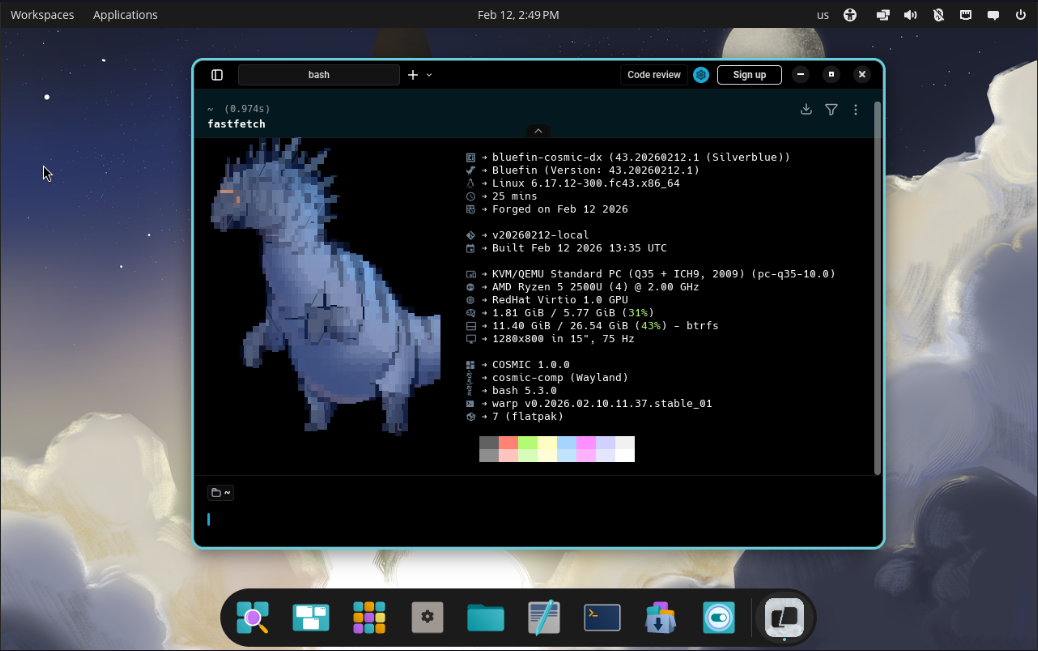
- Fastfetch: Custom config showing image name/version, COSMIC version, and build date (overrides upstream Bluefin config)
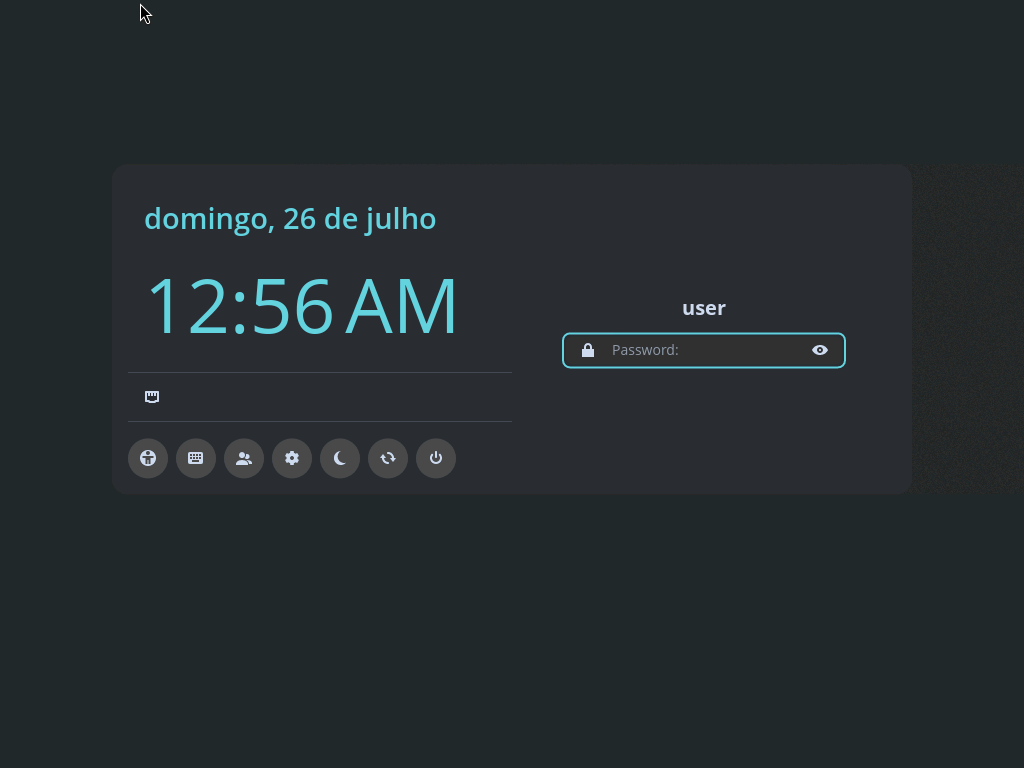
- COSMIC Greeter is enabled as the default login manager.
- COSMIC is the only desktop session presented at login.
- Custom ujust commands available: install-nvm, install-sdkman, install-dev-managers, install-default-apps.
Last updated: 2026-09-20
bluefin-cosmic-dx is a developer-focused Bluefin DX image that keeps the Bluefin DX base and ships COSMIC as the only desktop environment.
First time installing? Follow the step-by-step guide: Installation Guide
Already running Bluefin? Rebase directly:
# Standard (Intel/AMD GPUs, VMs)
sudo bootc switch ghcr.io/ericrocha97/bluefin-cosmic-dx:stable

# NVIDIA (RTX GPUs)
sudo bootc switch ghcr.io/ericrocha97/bluefin-cosmic-dx-nvidia:stableBased on Bluefin DX, this image adds and changes:
- COSMIC desktop (System76) as the only desktop session
- COSMIC Greeter as the login manager
- GNOME desktop session removed from the final image
- VSCode Insiders installed via RPM
- Warp Terminal installed via RPM
- Vicinae installed via Terra repo (Bazzite-compatible)
- All Bluefin DX development features that remain compatible with the COSMIC-only desktop target
Base image: ghcr.io/ublue-os/bluefin-dx:stable
This image is available in two variants:
| Variant | Base Image | GHCR Package | For |
|---|---|---|---|
| Standard | bluefin-dx:stable |
ghcr.io/ericrocha97/bluefin-cosmic-dx |
Intel/AMD GPUs, VMs |
| NVIDIA | bluefin-dx-nvidia-open:stable-daily |
ghcr.io/ericrocha97/bluefin-cosmic-dx-nvidia |
NVIDIA RTX GPUs |
Both variants include the same COSMIC desktop, system optimizations, and developer tools. The NVIDIA variant adds the open-source NVIDIA kernel modules baked into the image (no akmods/DKMS needed).
For Jenkins CI/CD operations (GHCR publishing, Cosign signing, GitHub release automation, n8n webhook ingestion, Postgres persistence, and email alerting), see docs/jenkins/README.md (PT-BR).
This project uses Just as a command runner. Here are the main commands available:
Building:
just build              # Build the container image
just build-nvidia        # Build the NVIDIA variant container image
just build-vm           # Build VM image (QCOW2) - alias for build-qcow2
just build-qcow2        # Build QCOW2 VM image
just build-iso          # Build ISO installer image
just build-raw          # Build RAW disk image
Running:
just run-vm             # Run the VM - alias for run-vm-qcow2
just run-vm-qcow2       # Run VM from QCOW2 image
just run-vm-iso         # Run VM from ISO image
just run-vm-raw         # Run VM from RAW image
Utilities:
just clean              # Clean all temporary files and build artifacts
just lint               # Run shellcheck on all bash scripts
just format             # Format all bash scripts with shfmt
just --list             # Show all available commands
Custom ujust commands (in the image):
This image includes custom ujust commands for development managers and runtime CLI tools:
ujust install-nvm
ujust install-sdkman
ujust install-dev-managers
ujust install-default-apps   # installs rtk and topgrade from default.Brewfile
custom/brew/default.Brewfile ships with rtk and topgrade. If you add more .Brewfile files (matching the *.Brewfile pattern) anywhere in custom/brew/, they will be copied during build automatically.
Complete workflow:
# Build everything and run the VM
just build && just build-vm && just run-vm

# Or step by step:
just build              # 1. Build container image
just build-qcow2        # 2. Build VM image
just run-vm-qcow2 # 3. Run the VMSwitch your system to this image:
sudo bootc switch ghcr.io/ericrocha97/bluefin-cosmic-dx:stable
sudo systemctl reboot
For NVIDIA GPUs:
sudo bootc switch ghcr.io/ericrocha97/bluefin-cosmic-dx-nvidia:stable
sudo systemctl reboot
Roll back to Bluefin DX:
sudo bootc switch ghcr.io/ublue-os/bluefin-dx:stable
sudo systemctl rebootProduction images are signed by the Jenkins pipelines with Cosign using a traditional key pair. GitHub Actions runs on pull requests only and never publishes or signs a release.
-
Jenkins credentials: the pipelines read the private key from the
cosign_keycredential (Secret file) and the key password from thecosign_passcredential (Secret text). Configure both underManage Jenkins → Credentialsin the scope used by the two jobs. -
Signing by digest: after
Push GHCR, each pipeline records the published digest and signsIMAGE_REPOSITORY@sha256:<digest>in aSign Imagestage gated on themainbranch. Tags alone are never signed. The helper isci/jenkins/scripts/sign_image.sh; the same flow covers the standard (bluefin-cosmic-dx) and NVIDIA (bluefin-cosmic-dx-nvidia) variants. -
Legacy signature format for bootc: Cosign 3.x signs with
--new-bundle-format=false --use-signing-config=false. This stores the signature as an OCI attachment (<digest>.sig), the format consumed by thesigstoreSignedpolicy plususe-sigstore-attachments: trueincontainers/image(used bybootc,rpm-ostreeandskopeo). The Cosign 3.x default bundle/referrers format is not found by that policy and makesbootc switch --enforce-container-sigpolicyfail withA signature was required, but no signature exists. -
Verification after signing: right after signing, Jenkins runs
cosign verify --new-bundle-format=false --key cosign.pubon the same digest. If verification fails, the pipeline aborts and never promotesstable. -
Public key:
cosign.pubis versioned in this repository. The privatecosign.keyis never committed (it is listed in.gitignore). -
Verification: verify a published digest against the versioned public key (a tag such as
:stablealso works because it resolves to the signed digest):cosign verify --new-bundle-format=false --key cosign.pub \ ghcr.io/ericrocha97/bluefin-cosmic-dx@sha256:<digest> cosign verify --new-bundle-format=false --key cosign.pub \ ghcr.io/ericrocha97/bluefin-cosmic-dx-nvidia@sha256:<digest>
The image includes a strict container signature policy and the matching public key. The policy rejects unsigned images by default and accepts only signed images from this repository's standard and NVIDIA GHCR repositories. It is not enabled automatically, because the policy used for the first switch comes from the system currently running.
For a new installation, perform the initial switch normally, reboot into the image, and then enable enforcement once:
sudo bootc switch ghcr.io/ericrocha97/bluefin-cosmic-dx:stable
sudo systemctl reboot
sudo bootc switch --enforce-container-sigpolicy \
  ghcr.io/ericrocha97/bluefin-cosmic-dx:stable
Use bluefin-cosmic-dx-nvidia:stable for NVIDIA systems. Existing
installations can use the same two-step bootstrap: run bootc upgrade, reboot,
then repeat bootc switch with --enforce-container-sigpolicy. After that,
future bootc upgrade operations use the strict policy. The first switch can
also be verified immediately if the policy files are installed manually on the
currently running system before switching.
The policy intentionally blocks unrelated unsigned podman/container pulls.
This is the expected trade-off of strict enforcement; add trusted registries to
the policy locally if your workflow requires them.
Enforcement depends on the signature being stored in the legacy Cosign
attachment format. If a published image was signed with the Cosign 3.x default
bundle format, the switch fails with A signature was required, but no signature exists; see the signing section above for the required flags.
- Out of scope: attestations, SBOM, provenance, and rechunking are not part of this flow. Do not conflate them with the Cosign signature.
The image boots to COSMIC Greeter and starts the COSMIC Wayland session. GNOME is intentionally not offered as a login option.
- Verify packages:
rpm -qa | grep -i cosmic - Check session file:
ls /usr/share/wayland-sessions/cosmic.desktop - Check COSMIC Greeter:
systemctl status cosmic-greeter
- Verify RPM install:
rpm -q code-insiders warp-terminal - Ensure /opt is writable inside the image (required for RPM installs)
- Free disk space:
df -h - Clean and retry:
just clean && just build - Check logs:
journalctl -xe
- Ensure KVM is available:
ls -l /dev/kvm - Rebuild VM image:
just build-qcow2