
A mod providing all sorts of fun tools for modifying written books in Minecraft versions 1.3 to 1.4.2.
- Install Ornithe for Minecraft 1.3 to 1.4.2. Snapshots for those versions also work!
- Download the latest jar from the latest releases
- Plop that into your .minecraft/mods folder
- Enjoy!
Whenever you open a Book & Quill, you'll now be presented with a plethora of buttons and options to modify your book!
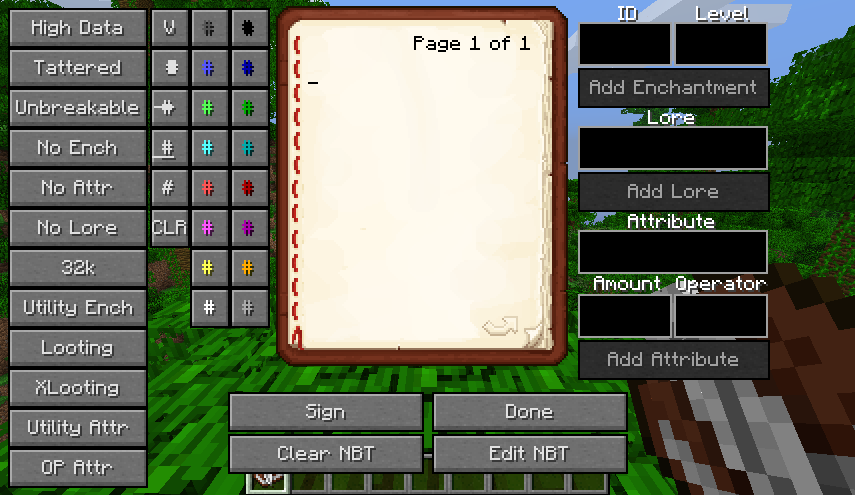
The very left column contains many "presets" that one will likely find useful. These are:
- High Data: fill the book with random 3 byte unicode characters
- Tattered: set the tattered flag
- Unbreakable: set the unbreakable flag
- No Ench: remove all enchantments
- No Attr: remove all attributes
- No Lore: remove all lore
- 32k: add all enchantments at level 32767
- Utility Ench: add Thorns 32767, Sharpness 32767, Fire Aspect 32767, Efficiency 32767, and Curse of Vanishing 1
- Looting: add Thorns 32767, Sharpness 32767, Fire Aspect 32767, Efficiency 32767, Looting 1000, and Curse of Vanishing 1
- XLooting: add Thorns 32767, Sharpness 32767, Fire Aspect 32767, Looting 32767, Efficiency 32767, and Curse of Vanishing 1
- Utility Attr: add movementSpeed + 100%, attackDamage + ∞, and maxHealth + 100%
- OP Attr: add movementSpeed + 100%, attackDamage + ∞, maxHealth + 900%, attackKnockback + 900%, luck + ∞, knockbackResistance + 10, armor + 100, and armorToughness + 100
To the right of the presets are a whole bunch of buttons for inserting formatting codes, both into the book's pages and into relavent fields.
To the right of the book's pages are a whole bunch of text boxes and buttons for adding your own enchantments, attributes, and lore. To enable the buttons, fill out the fields in a valid format:
- For enchantments, enter a valid Short (-32768 to 32767) into both the ID and Level fields
- For lore, enter a string that isn't empty
- For attributes, enter a name that isn't empty, an amount that parses into a double, and an operator of either 0, 1, or 2. See the minecraft wiki for more information on custom attributes. Do note that you need to use the pre-flattening IDs.
Below the book's pages are the familiar buttons for signing the book and finishing editing, but there are two more buttons relating to this mod's most powerful feature: direct NBT editing of the book!
- Clear NBT: clear the book of all data, including text
- Edit NBT: open the NBT editing window
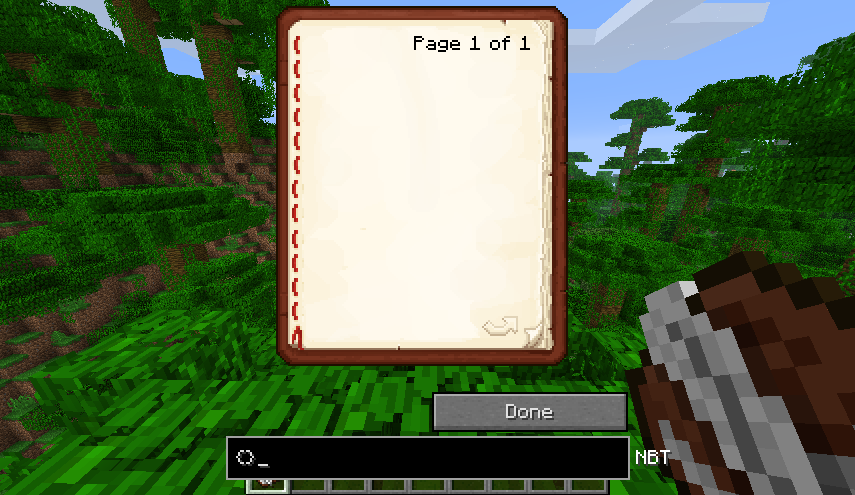
Simmilar to a command block, one can just simply edit the book's NBT in any way they desire! The only real limits are the size of the book edit packet, which cannot exceed 32767 bytes, but who cares!
When you want to finally sign your book, the signing screen will look a little different too:
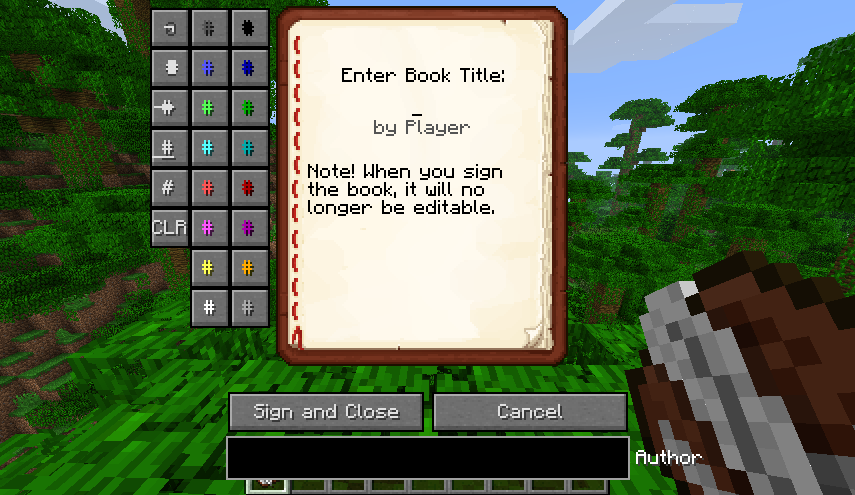
The formatting buttons are still available to use on this screen, so one can format both the title and the author fields! Do note that the title tag is limited to no more than 16 characters in length, including formatting codes. However, the author tag has practically no limits besides the packet size limit, so go wild! (Yes, you can fit the entire Bee movie script!)
Of course, as this mod can add many item tags that aren't used in 1.3/1.4, for example, custom attributes, you will need to update a world from these versions into versions where these tags are actually used by the game for them to appear in game (mindblowing, I know!).
Anyways, that's basically "all" this mod has. Have fun. Or not. Soon enough, you'll be making a lot of books that probably look something like this:
