
The documentation website for slide.ng, a slide deck tool that turns one markdown file into an Angular app. It is live at slide-ng.dev and built with NgMd.
It covers getting started, a guide, a page for every feature, the built-in reference (layouts, components, directives, shortcuts, CLI, frontmatter keys), customizing, a comparison with Slidev, and live example decks.
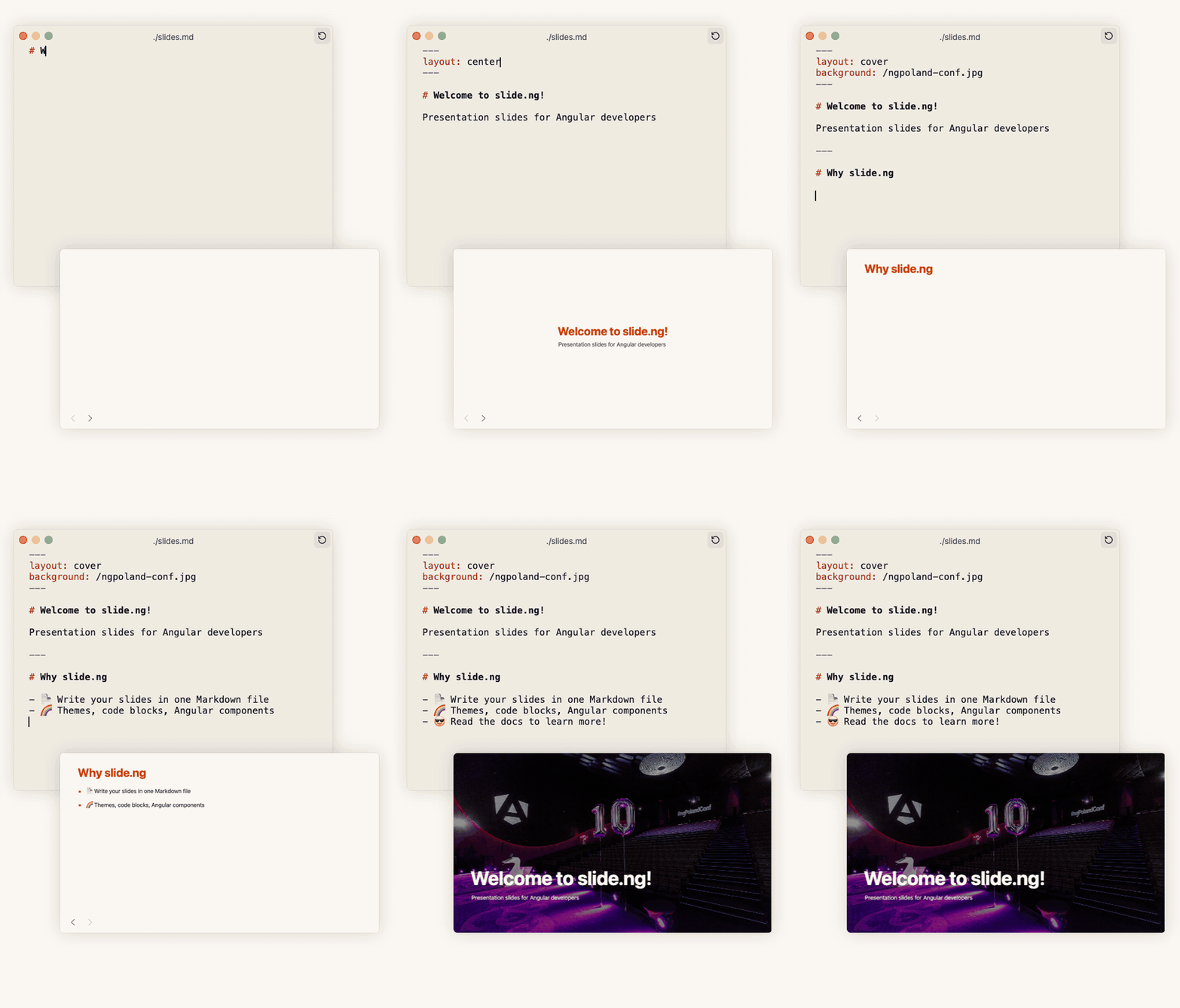
Type markdown, get slides.
Node 22.22.3 or newer (see .nvmrc) and pnpm.
pnpm install
pnpm run dev          # http://localhost:5173
pnpm run build        # static site in dist/analog/public, with the link guards
pnpm run check:dist   # checks every internal link, image and script of the built HTML
pnpm run check:landing # opens the built home page in Chromium and checks the live demo
pnpm test             # unit tests
pnpm run format:check- Pages are markdown files under
src/content/. The path is the URL. - The sidebar, header links and the site's name and URL are in
src/ngmd.config.ts. - The home page is
src/app/pages/index.page.ts; its live demo is insrc/app/landing/. <ngmd-demo src="/demos/starter/" title="..."></ngmd-demo>embeds a built deck in an iframe. Besides paths of this site it embeds addresses onslide-ng.github.io, in a sandboxed frame.- The Resources menu in the header and the Resources section of the sidebar lead to the showcases, the theme gallery, the starter and the live demos (
src/content/resources/). The showcase pages are generated fromshowcases.jsonof the slide-ng/showcases repository and committed:
SLIDE_NG_SHOWCASES_DIR=../slide.ng-showcases pnpm run showcases- The decks in
demos/<name>/slides.mdare built with the slide.ng CLI intopublic/demos/<name>/and the built files are committed, so building the site needs neither slide.ng nor Chromium. To rebuild them, check out slide.ng (and slide-ng/themes for the theme decks):
SLIDE_NG_DIR=../slide.ng SLIDE_NG_THEMES_DIR=../themes pnpm run demosThe site is built for the root of a host by default. For a sub-path, set site.base in src/ngmd.config.ts or build with NGMD_BASE=/docs/ pnpm run build. The production site (slide-ng.dev) is on Cloudflare with build command pnpm run build and deploy command npx wrangler deploy; wrangler.jsonc serves dist/analog/public and the 404 page. The deploy workflow publishes to GitHub Pages.
CONTRIBUTING.md is the writing guide: voice, how a page is built, how samples are checked.
 Erkam Yaman Maintainer |
Thanks to everyone who has helped. This project follows the all-contributors specification. Contributions of any kind welcome!
 Erkam Yaman 💻 📖 🚇 🚧 |
The slide.ng documentation is free and open source. If it helps your work, please consider sponsoring it. Your support keeps development going.

MIT, see LICENSE.